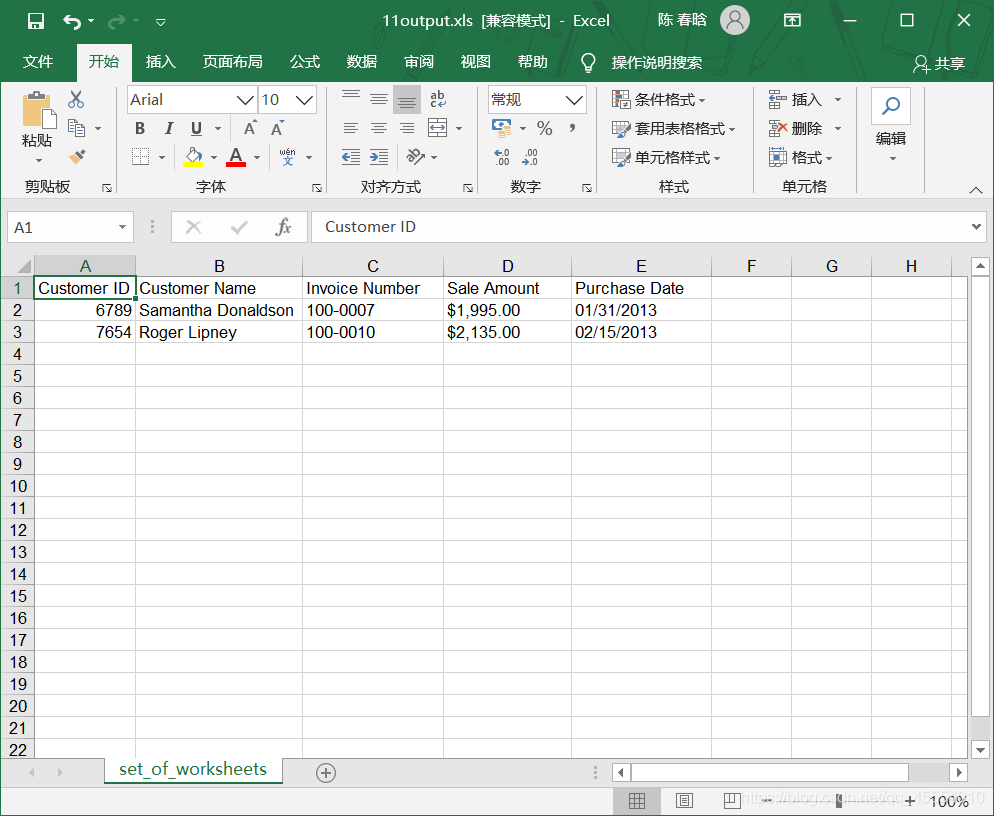
上一篇博客主要讲了如何在一个工作簿的所有工作表中筛选特定的行和列。但是,有些情况下,我们只需要处理工作簿中其中几个工作表。在这种情况下,我们可以使用sheet_by_index()或sheet_by_name()函数来处理这些待处理的工作表。
在一组工作表中筛选特定行 1.基础Python 我们想要筛选出sales_2013.xlsx这个工作簿的第一个和第二个工作表中销售额大于$1900.00的那些行。代码如下:
1
2
3
4
5
6
7
8
9
10
11
12
13
14
15
16
17
18
19
20
21
22
23
24
25
26
27
28
29
30
31
32
33
34
35
36
37
38
39
40
41
42
43
44
45
46
47
#!/usr/bin/env python3 import sys from datetime import date from xlrd import open_workbook, xldate_as_tuple from xlwt import Workbook input_file = sys.argv[1] output_file = sys.argv[2] output_workbook = Workbook() output_worksheet = output_workbook.add_sheet('set_of_worksheets') my_sheets = [0, 1] threshold = 1900.0 sales_column_index = 3 first_worksheet = True with open_workbook(input_file) as workbook: data = [] for sheet_index in range(workbook.nsheets): if sheet_index in my_sheets: worksheet = workbook.sheet_by_index(sheet_index) if first_worksheet: header_row = worksheet.row_values(0) data.append(header_row) first_worksheet = False for row_index in range(1, worksheet.nrows): row_list = [] sale_amount = worksheet.cell_value(row_index, sales_column_index) sale_amount = sale_amount.replace(r'$', '') sale_amount = sale_amount.replace(r',', '') sale_amount = float(sale_amount) if sale_amount > threshold: for column_index in range(worksheet.ncols): cell_value = worksheet.cell_value(row_index, column_index) cell_type = worksheet.cell_type(row_index, column_index) if cell_type == 3: date_cell = xldate_as_tuple(cell_value, workbook.datemode) date_cell = date(*date_cell[0:3]).strftime('%m/%d/%Y') row_list.append(date_cell) else: row_list.append(cell_value) if row_list: data.append(row_list) for list_index, output_list in enumerate(data): for element_index, element in enumerate(output_list): output_worksheet.write(list_index, element_index, element) output_workbook.save(output_file)
第13行创建的列表变量my_sheets包含了两个整数,分别对应要处理的工作表(即第一个和第二个工作表)的索引值。第19行代码创建了工作簿中所有工作表的索引值,第20行代码在for循环中应用if判断语句检验要处理的工作表索引值是否在列表my_sheets中,这样可以确保代码只处理了我们想处理的工作表。
作者注:代码的第29-31行是我自己加上的,参考书(《Python数据分析基础》,作者Clinton W. Brownley,译者陈光欣,人民邮电出版社)上的代码并没有这三行,运行的时候会报错:
在命令行窗口中运行这个脚本,得到输出文件。
2.pandas 使用pandas模块在工作簿中选择几个工作表非常容易,我们只需要在read_excel()函数中将工作表的索引值或名称设置成一个列表就可以了。代码如下:
1
2
3
4
5
6
7
8
9
10
11
12
13
14
15
16
17
18
19
20
#!/usr/bin/env python3 import pandas as pd import sys input_file = sys.argv[1] output_file = sys.argv[2] my_sheets = [0, 1] threshold = 1900.0 data_frame = pd.read_excel(input_file, sheet_name=my_sheets, index_col=None) row_list = [] for worksheet_name, data in data_frame.items(): data['Sale Amount'] = data['Sale Amount'].str.replace(r'\$', '') data['Sale Amount'] = data['Sale Amount'].str.replace(',', '') row_list.append(data[data['Sale Amount'].astype(float) > threshold]) filtered_rows = pd.concat(row_list, axis=0, ignore_index=True) writer = pd.ExcelWriter(output_file) filtered_rows.to_excel(writer, sheet_name='set_of_worksheets', index=False) writer.save()
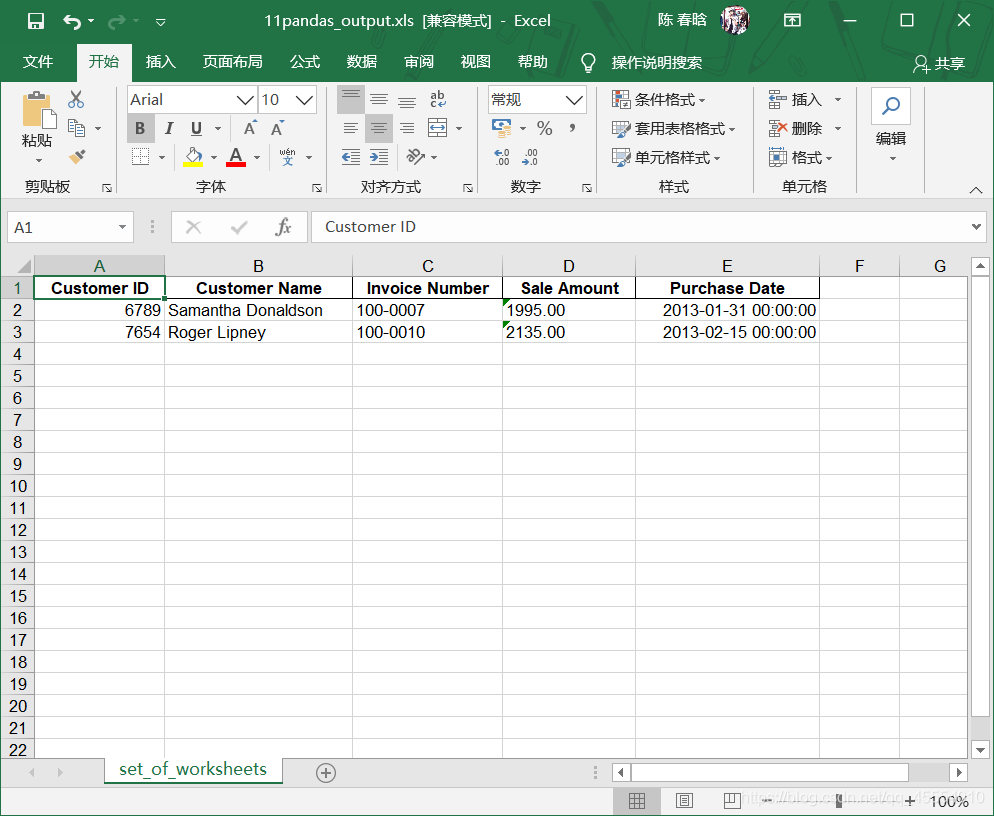
在命令行窗口中运行这个脚本,得到输出文件。