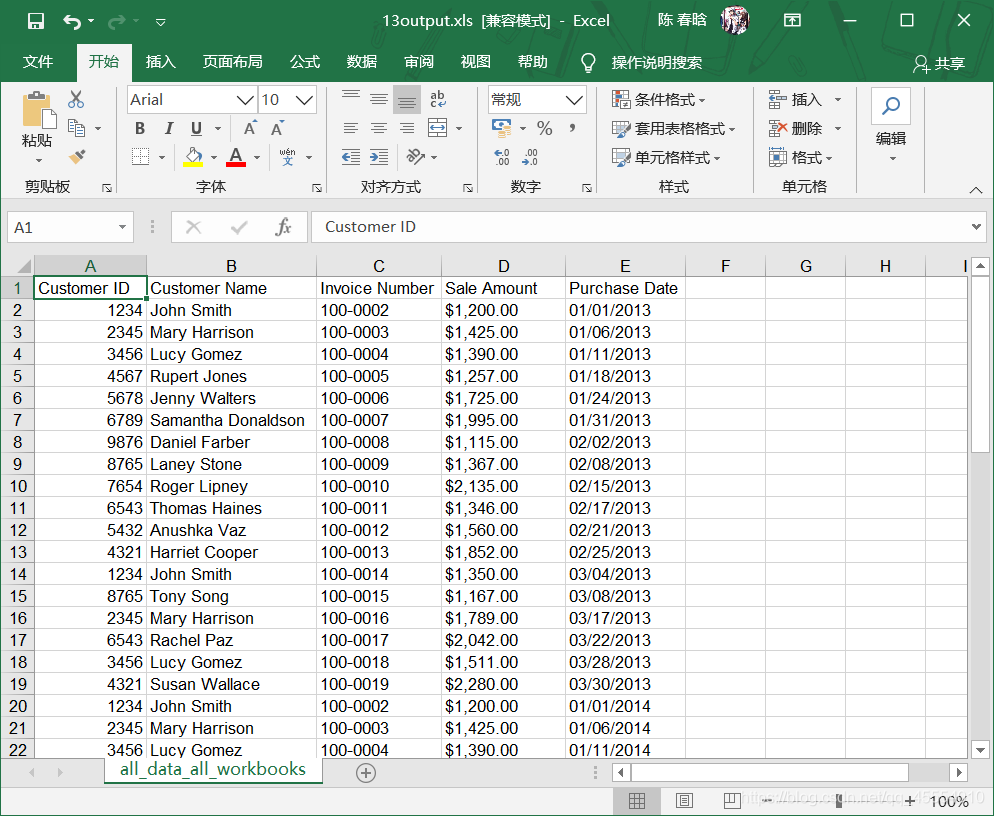
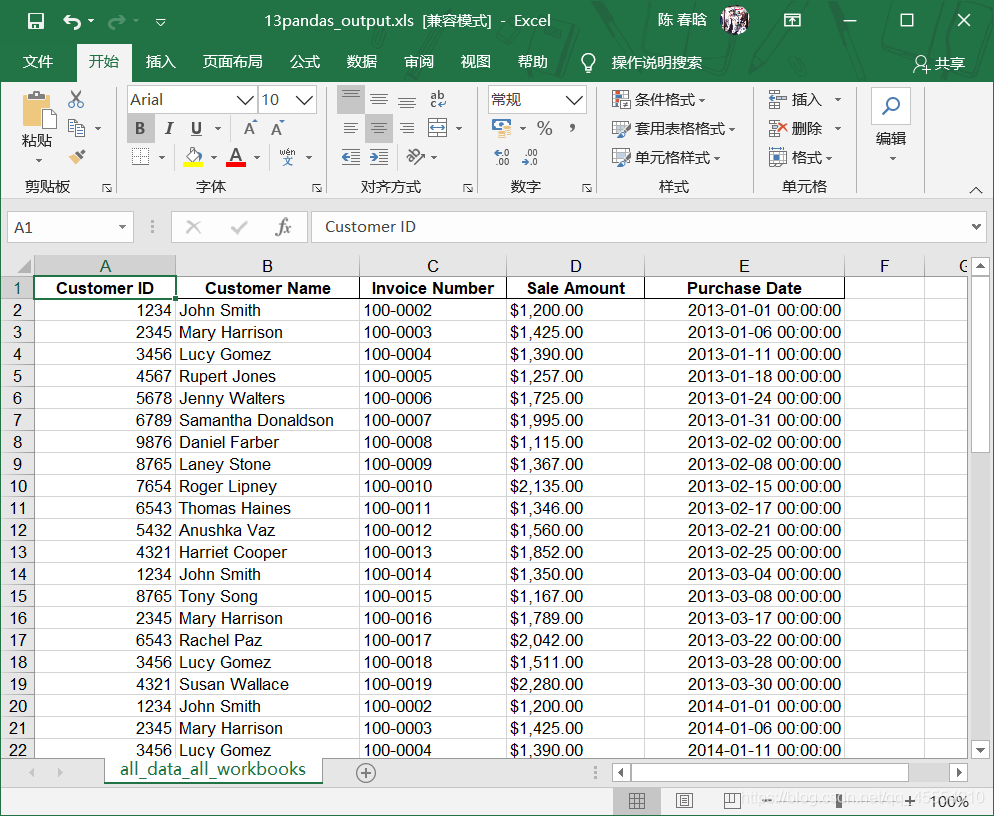
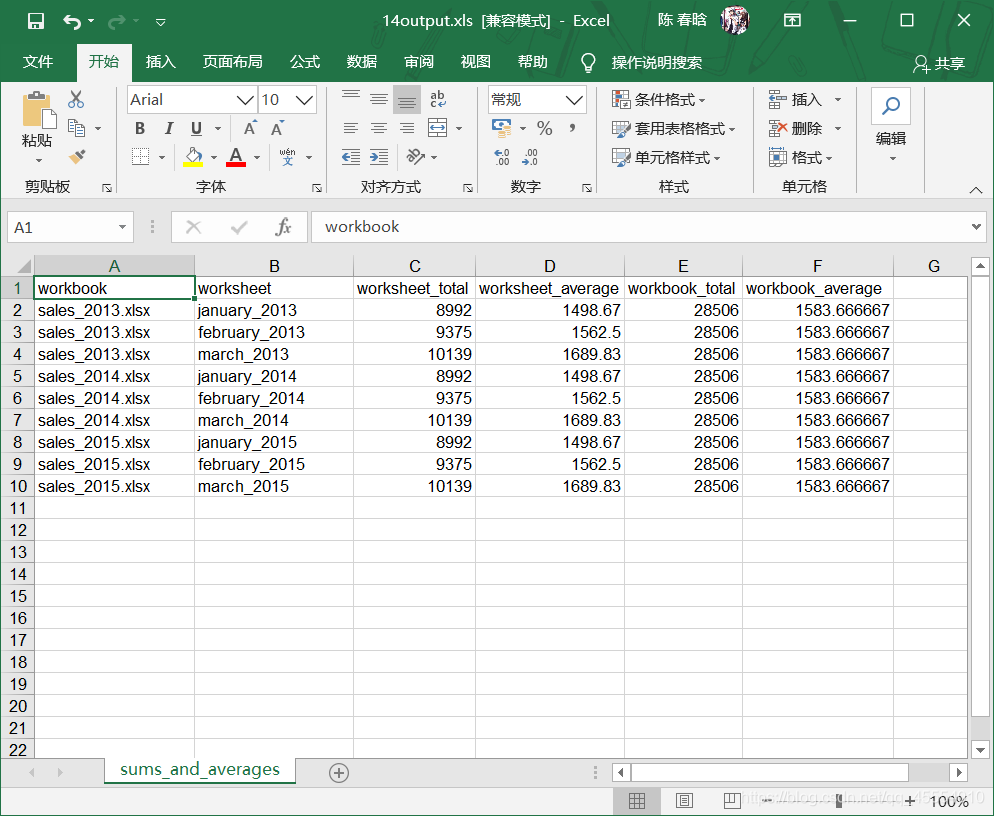
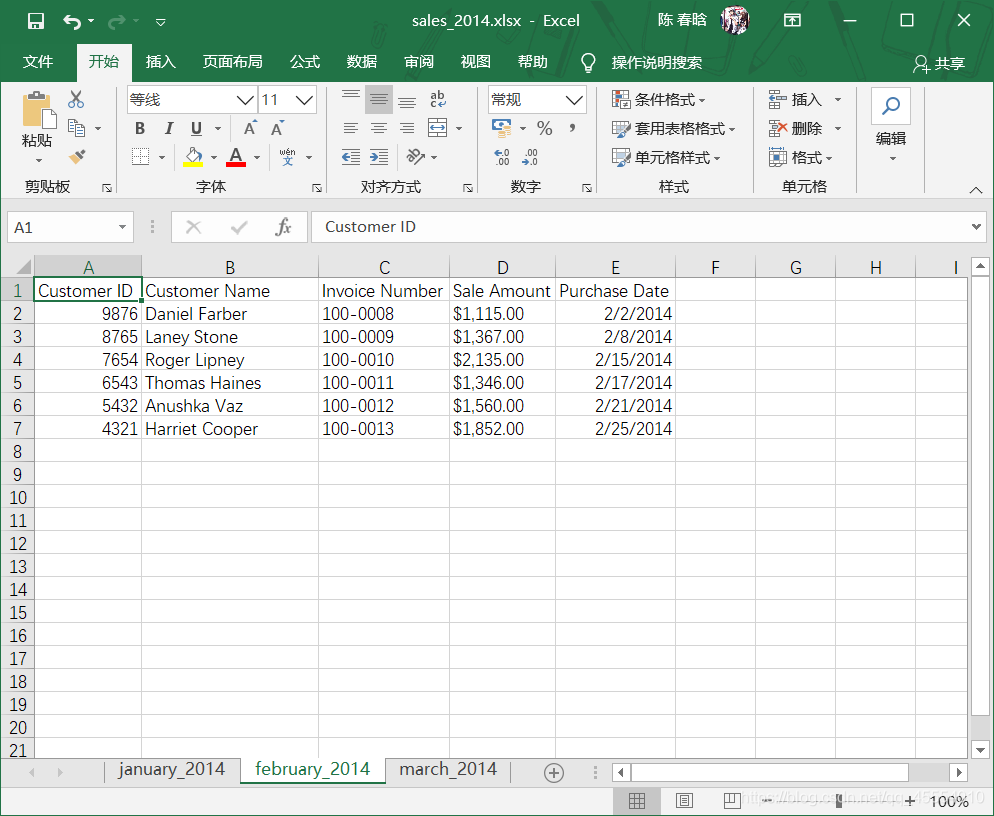
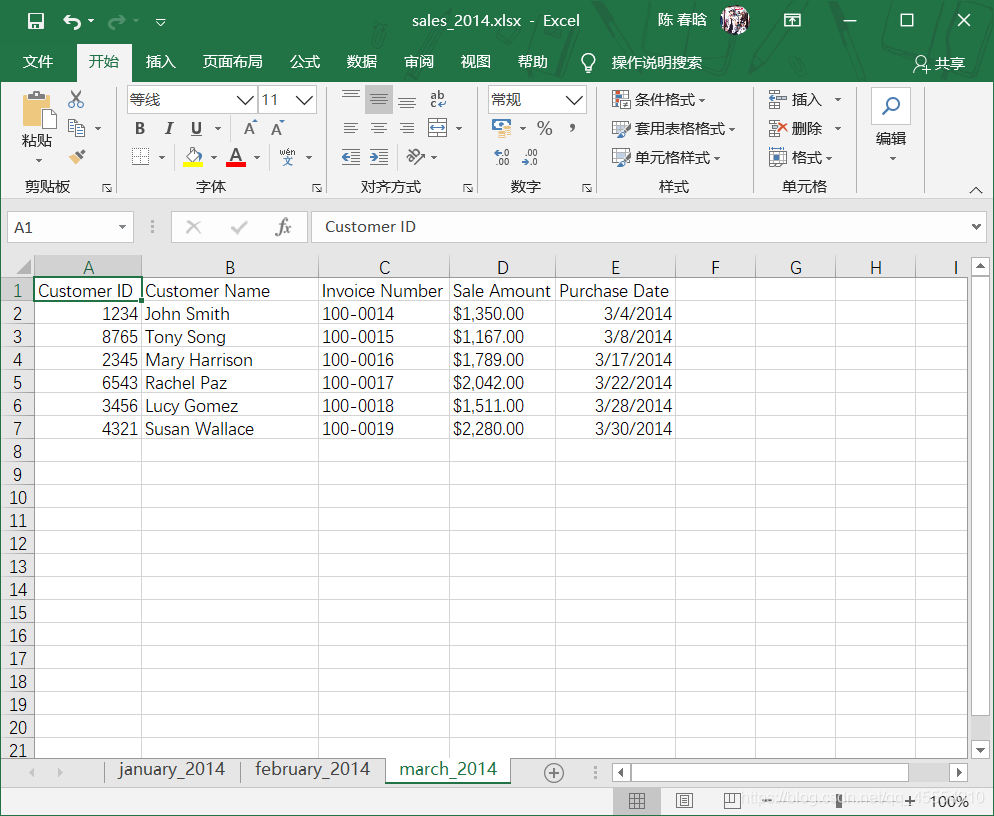
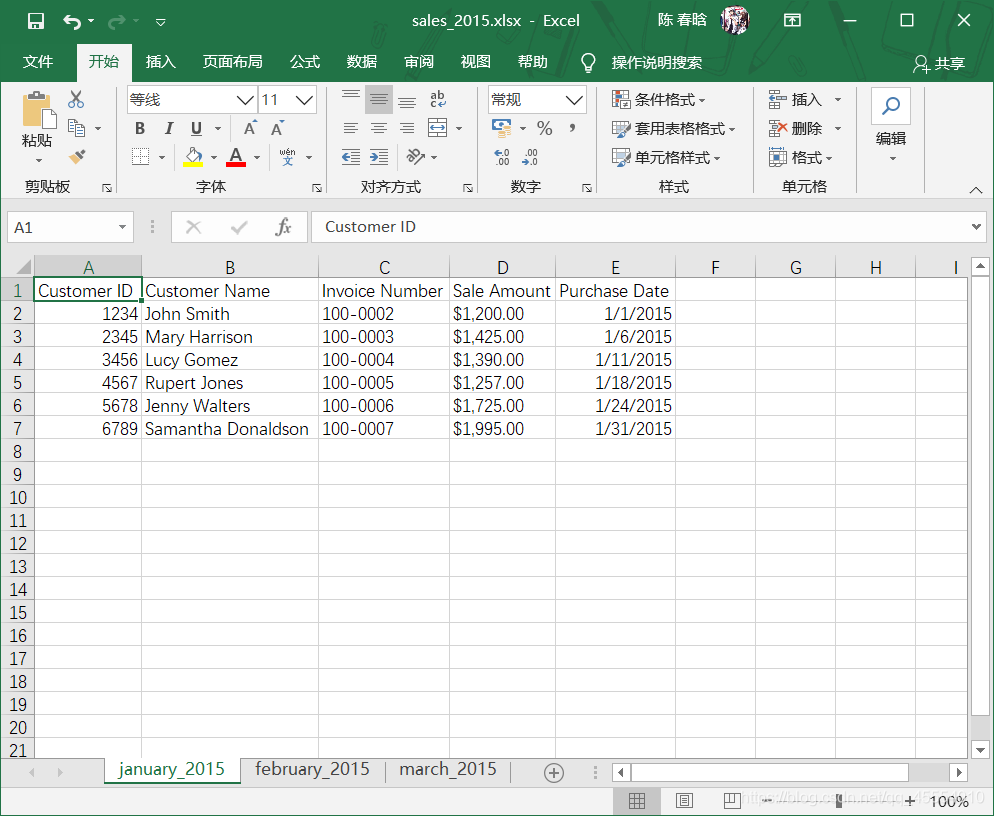
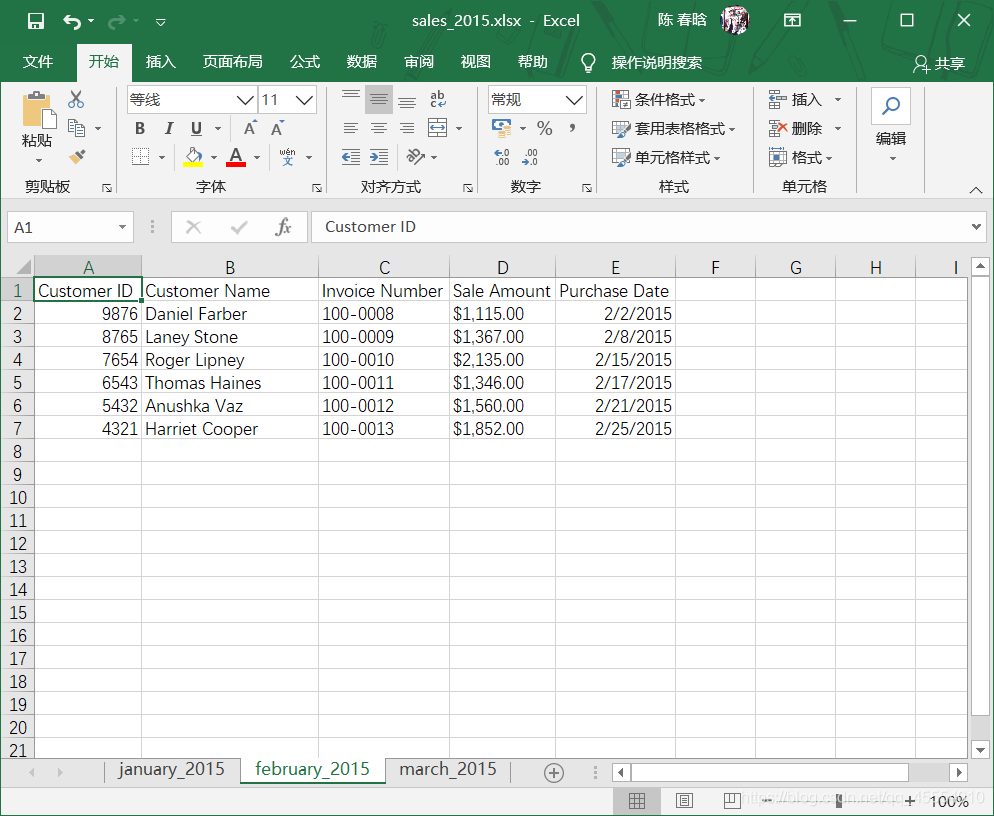
output_workbook = Workbook() output_worksheet = output_workbook.add_sheet('all_data_all_workbooks', cell_overwrite_ok=True) data = [] first_worksheet = True for input_file in glob.glob(os.path.join(input_folder, '*.xlsx')): print(os.path.basename(input_file)) with open_workbook(input_file) as workbook: for worksheet in workbook.sheets(): if first_worksheet: header_row = worksheet.row_values(0) data.append(header_row) first_worksheet = False for row_index in range(1, worksheet.nrows): row_list = [] for column_index in range(worksheet.ncols): cell_value = worksheet.cell_value(row_index, column_index) cell_type = worksheet.cell_type(row_index, column_index) if cell_type == 3: date_cell = xldate_as_tuple(cell_value, workbook.datemode) date_cell = date(*date_cell[0:3]).strftime('%m/%d/%Y') row_list.append(date_cell) else: row_list.append(cell_value) data.append(row_list) for list_index, output_list in enumerate(data): for element_index, element in enumerate(output_list): output_worksheet.write(list_index, element_index, element) output_workbook.save(output_file)
作者注:在第14行代码中,参考书上的代码并没有’cell_overwrite_ok=True’这一参数,这是我在写代码的时候报错后自己加上去的。 报错信息如下: Traceback (most recent call last): File “E:\python_pycharm\Python数据分析基础\第3章 Excel文件\13excel_concat_data_from_multiple_workbook.py”, line 39, in output_worksheet.write(list_index, element_index, element) File “D:\Anaconda3\lib\site-packages\xlwt\Worksheet.py”, line 1088, in write self.row(r).write(c, label, style) File “D:\Anaconda3\lib\site-packages\xlwt\Row.py”, line 235, in write StrCell(self.idx, col, style_index, self.parent_wb.add_str(label)) File “D:\Anaconda3\lib\site-packages\xlwt\Row.py”, line 154, in insert_cell raise Exception(msg) Exception: Attempt to overwrite cell: sheetname=’all_data_all_workbooks’ rowx=0 colx=0 查阅有关资料后得知,对一个单元格重复操作会引发ReturnsError,这个时候只要在打开文件的时候加上’cell_overwrite_ok=True’即可解决。这应该是书本上的错误。
for list_index, output_list in enumerate(all_data): for element_index, element in enumerate(output_list): output_worksheet.write(list_index, element_index, element) output_workbook.save(output_file)
 )
) )
) )
) )
) )
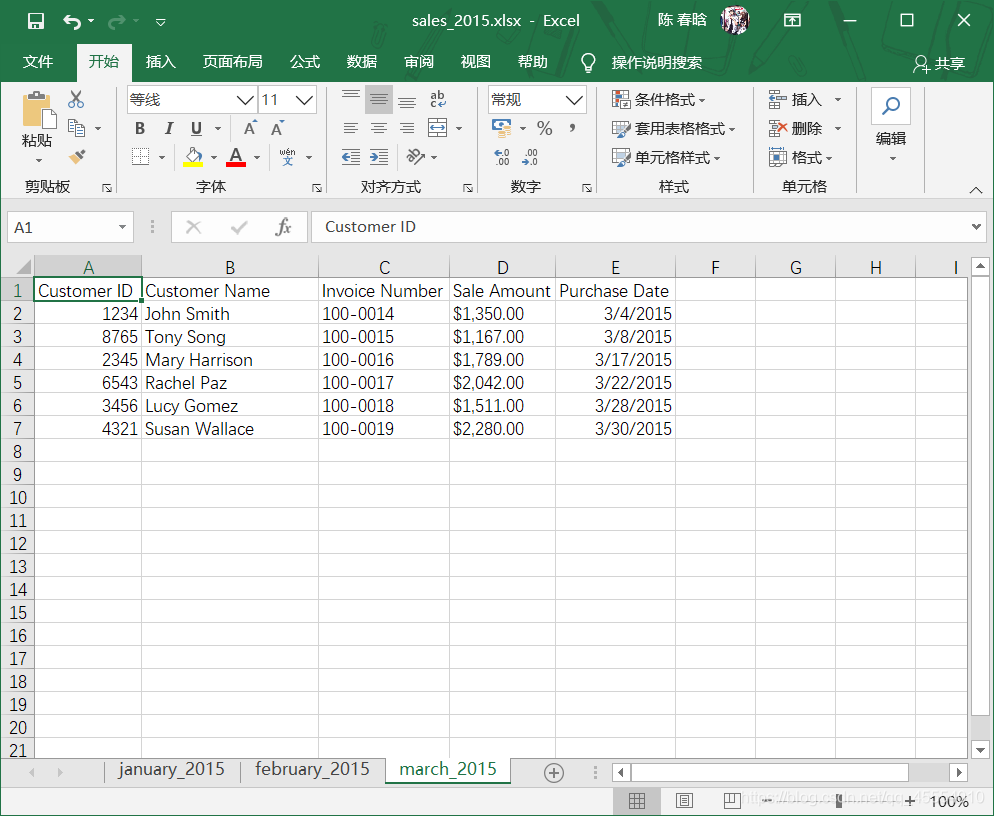
)
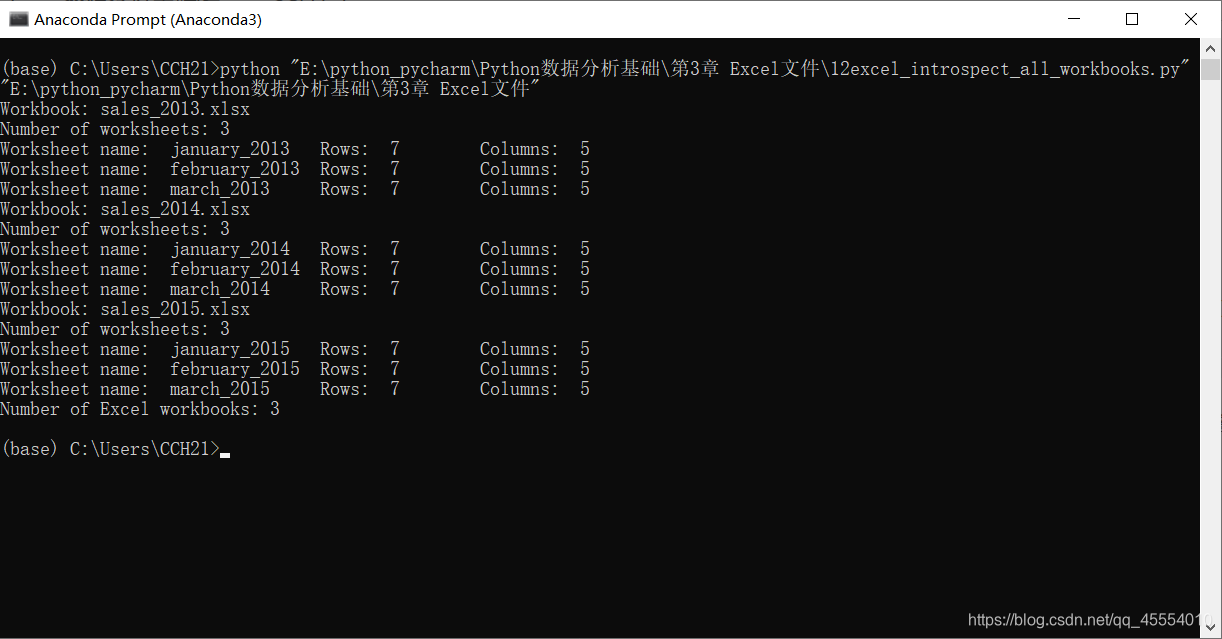
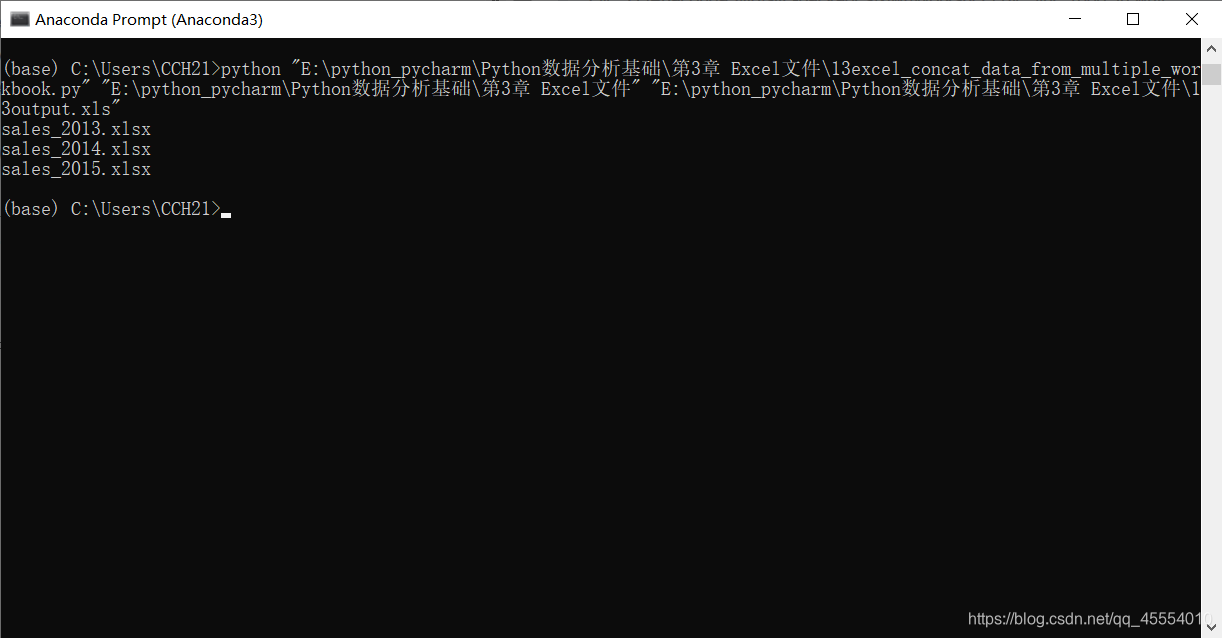 )
)