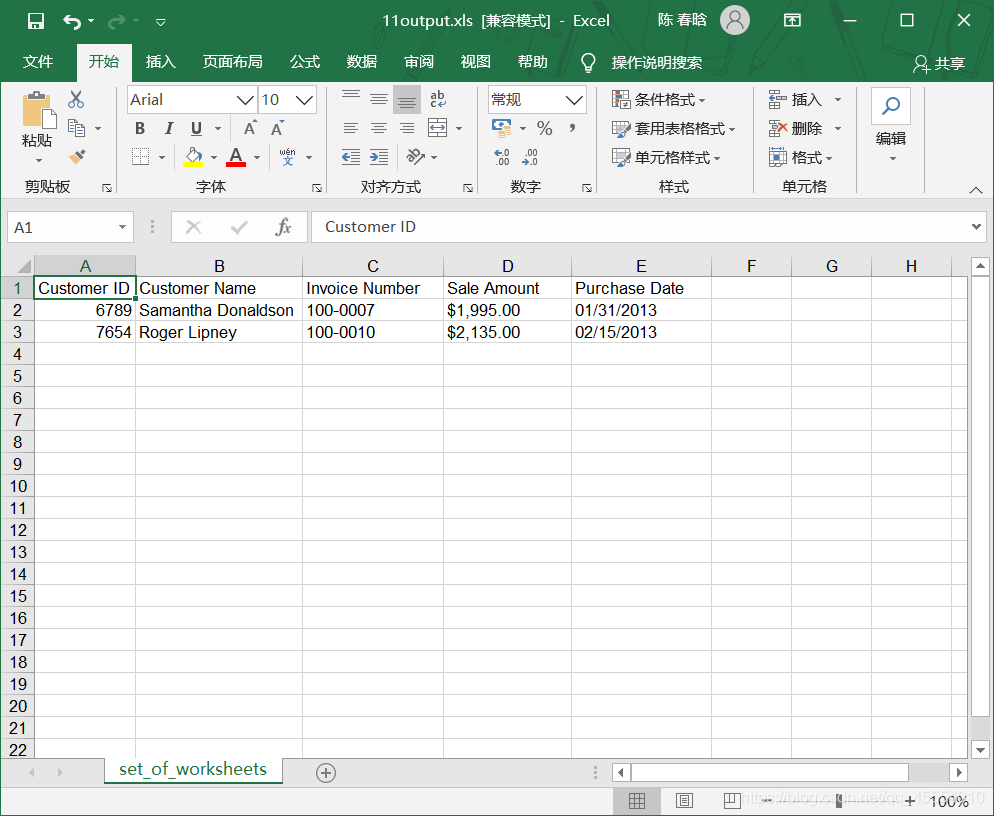
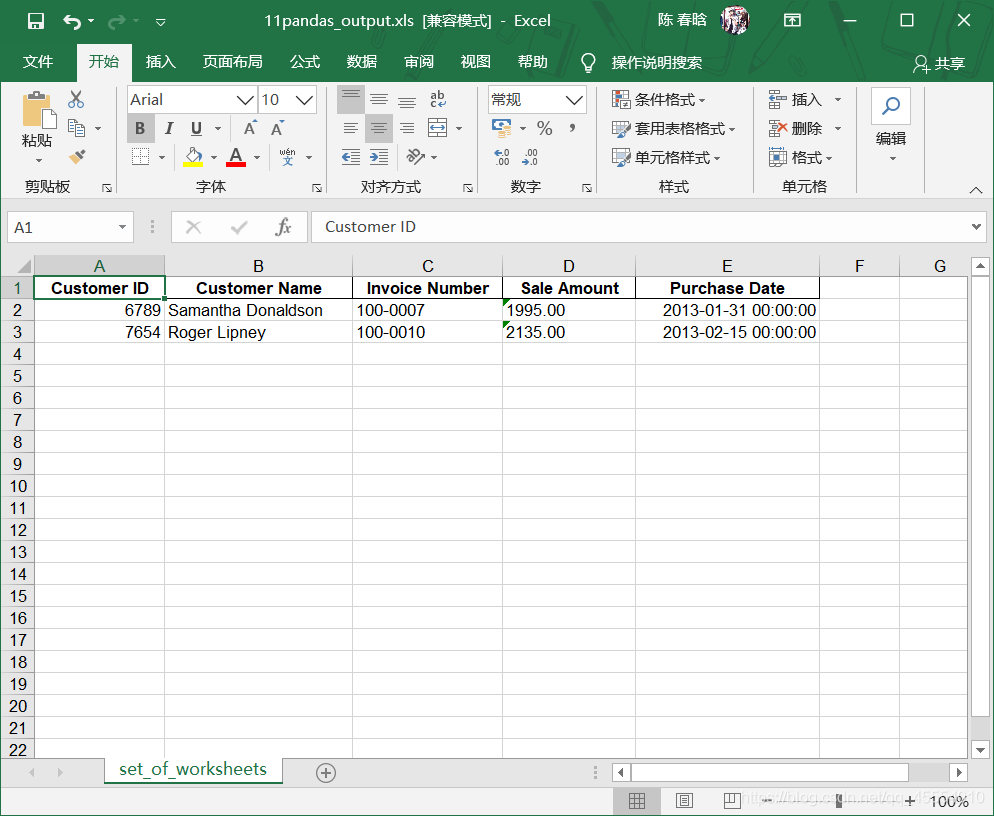
作者注:代码的第29-31行是我自己加上的,参考书(《Python数据分析基础》,作者Clinton W. Brownley,译者陈光欣,人民邮电出版社)上的代码并没有这三行,运行的时候会报错: Traceback (most recent call last): File “E:\python_pycharm\Python数据分析基础\第3章 Excel文件\11excel_value_meets_condition_set_of_worksheets.py”, line 29, in if sale_amount > threshold: TypeError: ‘>’ not supported between instances of ‘str’ and ‘float’ 改正后可以正常运行。这应该是书本的错误。
output_workbook = Workbook() output_worksheet = output_workbook.add_sheet('selected_columns_all_worksheets') my_columns = ['Customer Name', 'Sale Amount'] first_worksheet = True with open_workbook(input_file) as workbook: data = [my_columns] index_of_cols_to_keep = [] for worksheet in workbook.sheets(): if first_worksheet: header = worksheet.row_values(0) for column_index in range(len(header)): if header[column_index] in my_columns: index_of_cols_to_keep.append(column_index) first_worksheet = False for row_index in range(1, worksheet.nrows): row_list = [] for column_index in index_of_cols_to_keep: cell_value = worksheet.cell_value(row_index, column_index) cell_type = worksheet.cell_type(row_index, column_index) if cell_type == 3: date_cell = xldate_as_tuple(cell_value, workbook.datemode) date_cell = date(*date_cell[0:3]).strftime('%m/%d/%Y') row_list.append(date_cell) else: row_list.append(cell_value) data.append(row_list) for list_index, output_list in enumerate(data): for element_index, element in enumerate(output_list): output_worksheet.write(list_index, element_index, element) output_workbook.save(output_file)
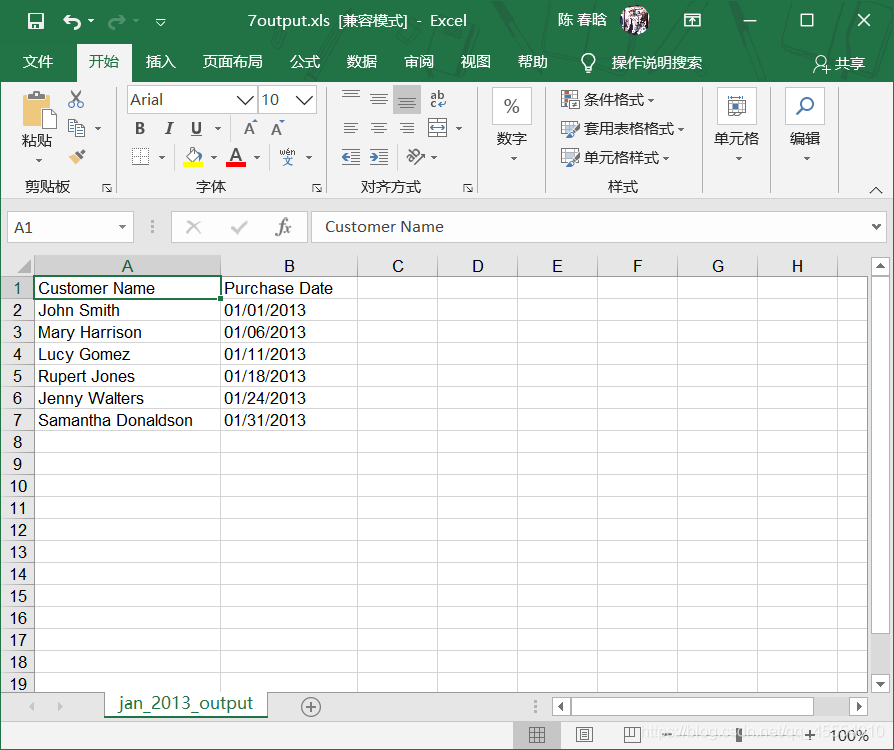
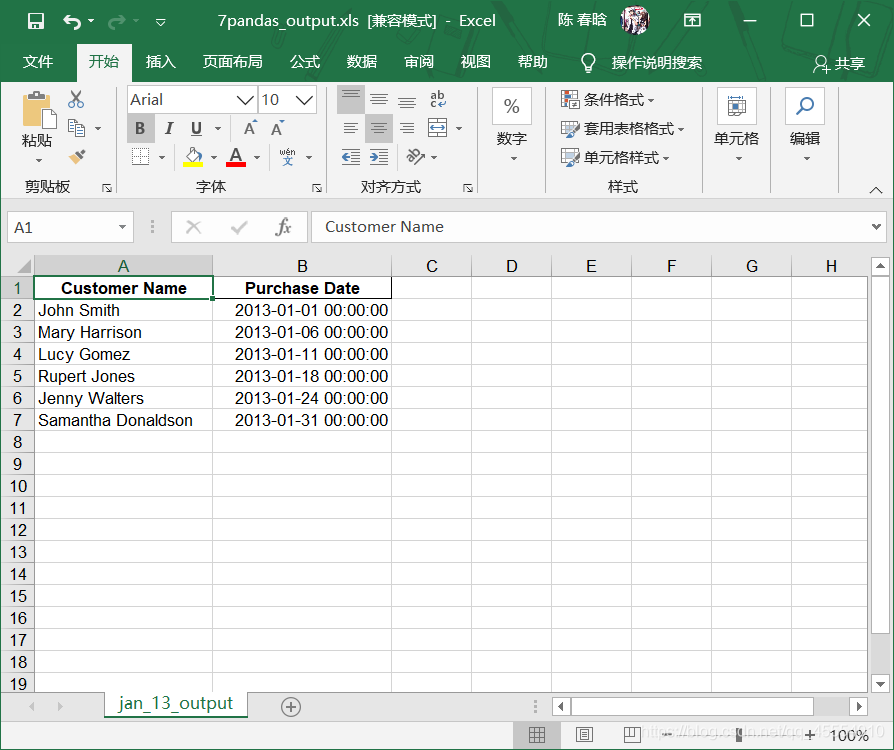
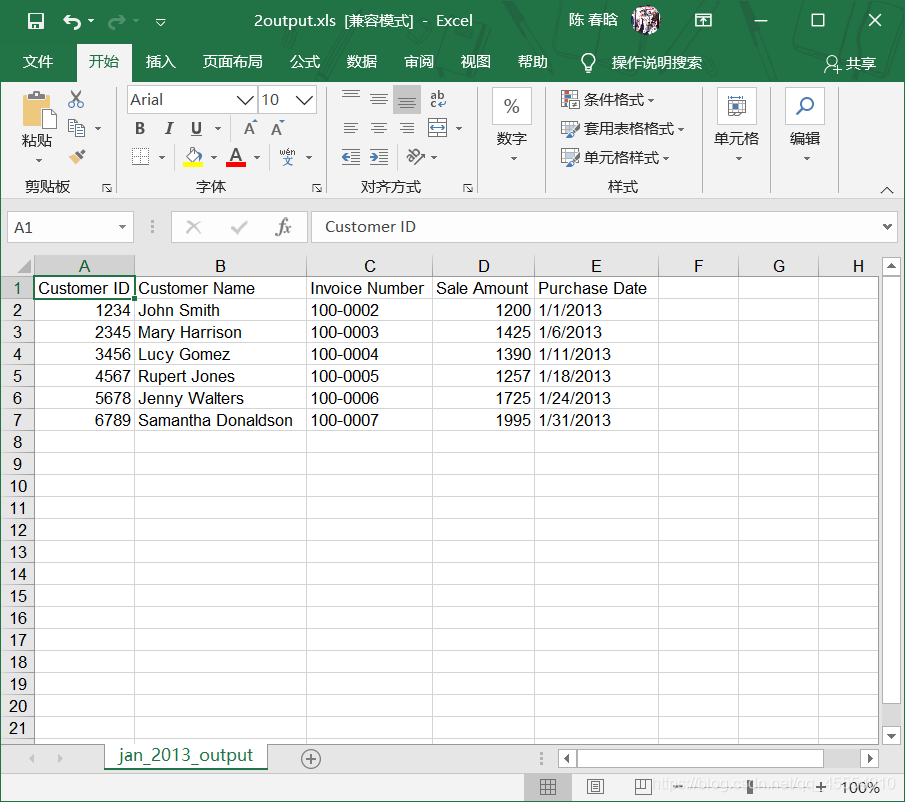
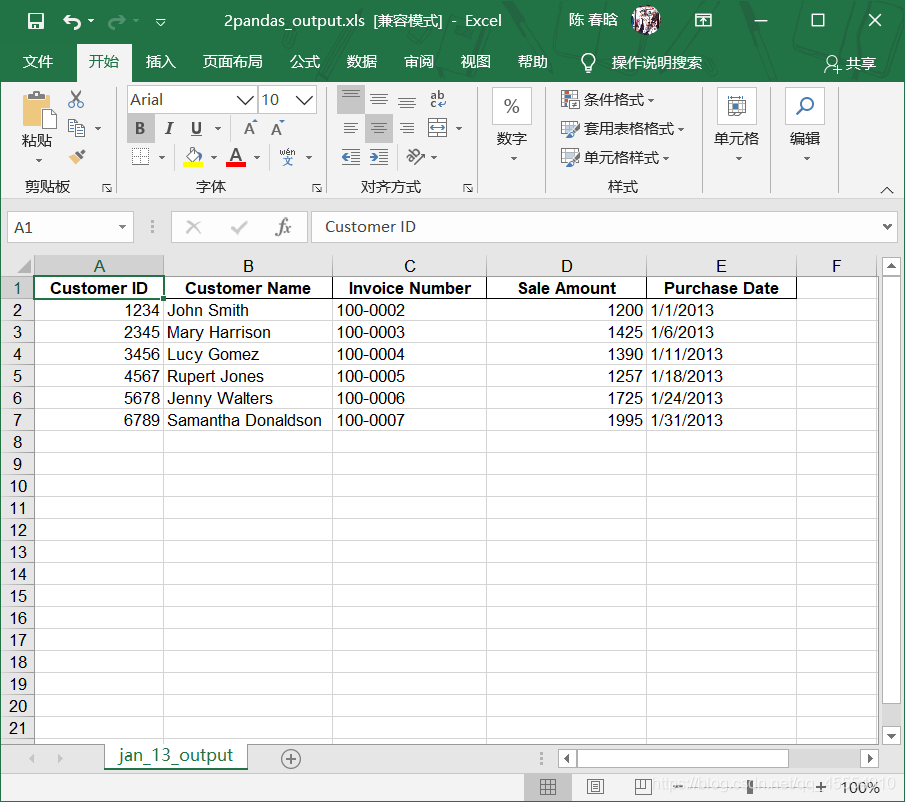
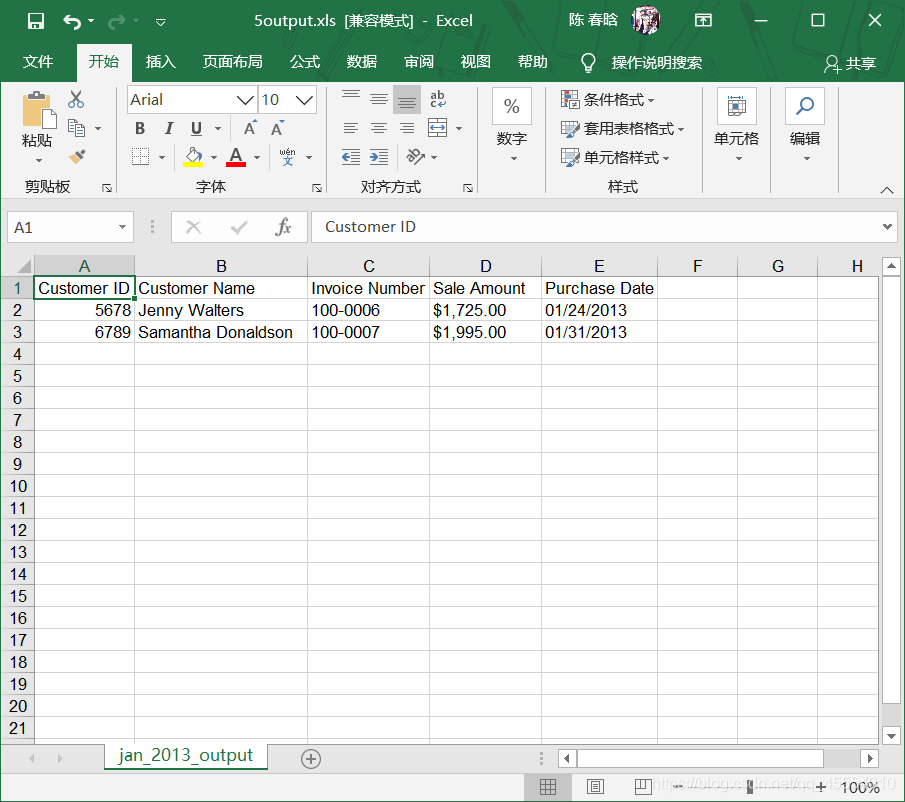
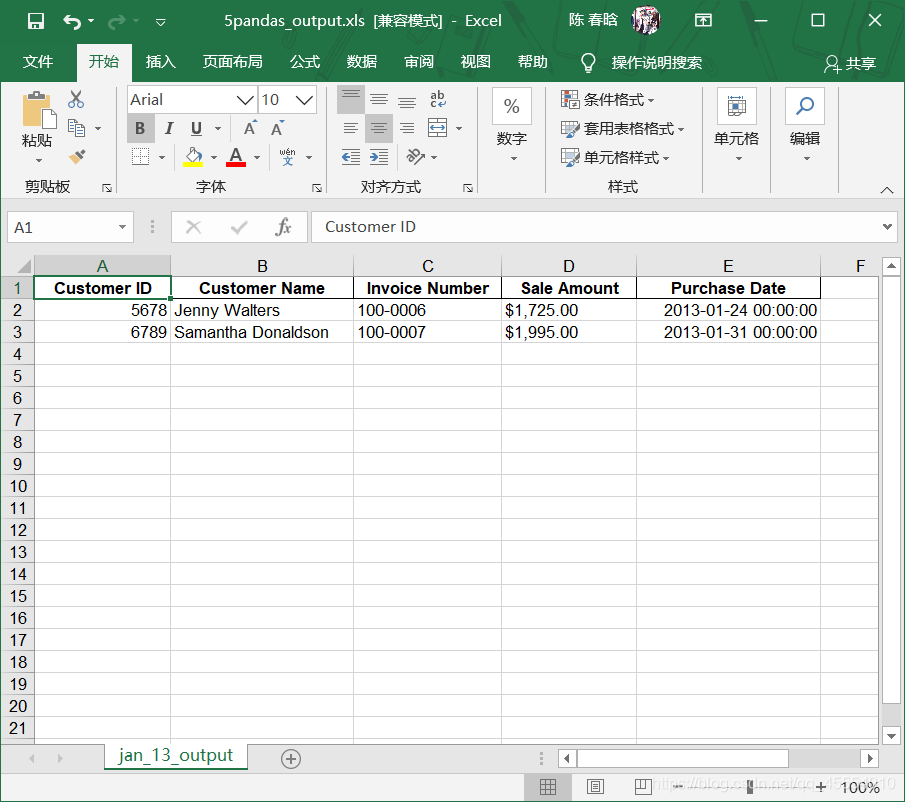
output_workbook = Workbook() output_worksheet = output_workbook.add_sheet('jan_2013_output') with open_workbook(input_file) as workbook: worksheet = workbook.sheet_by_name('january_2013') for row_index in range(worksheet.nrows): for column_index in range(worksheet.ncols): output_worksheet.write(row_index, column_index, worksheet.cell_value(row_index, column_index)) output_workbook.save(output_file)
我们来解释一下上面的代码。
1
2
from xlrd import open_workbook
from xlwt import Workbook
for list_index, output_list in enumerate(data):
    for element_index, element in enumerate(output_list):
        output_worksheet.write(list_index, element_index, element)
参考资料: 《Python数据分析基础》,作者[美]Clinton W. Brownley,译者陈光欣,中国工信出版集团,人民邮电出版社
Excel文件简述
Microsoft Excel是Microsoft为使用Windows和Apple Macintosh操作系统的电脑编写的一款电子表格软件,它几乎无处不在,是商业活动中不可或缺的工具。使用Python可以处理Excel文件中的数据。 与Python的csv模块不同,Python中没有处理Excel文件的标准模块。我们需要安装xlrd和xlwt两个模块。
first_file = True for input_file in glob.glob(os.path.join(input_path, 'sales_*')): print(os.path.basename(input_file)) with open(input_file, 'r', newline='') as csv_in_file: with open(output_file, 'a', newline='') as csv_out_file: filereader = csv.reader(csv_in_file) filewriter = csv.writer(csv_out_file) if first_file: for row in filereader: filewriter.writerow(row) first_file = False else: header = next(filereader, None) for row in filereader: filewriter.writerow(row)
我们来解释一下上面的代码。
1
with open(output_file, 'a', newline='') as csv_out_file:
first_file = True
for input_file in glob.glob(os.path.join(input_path, 'sales_*')):
    ...
            if first_file:
                for row in filereader:
                    filewriter.writerow(row)
                first_file = False
            else:
                header = next(filereader, None)
                for row in filereader:
                    filewriter.writerow(row)
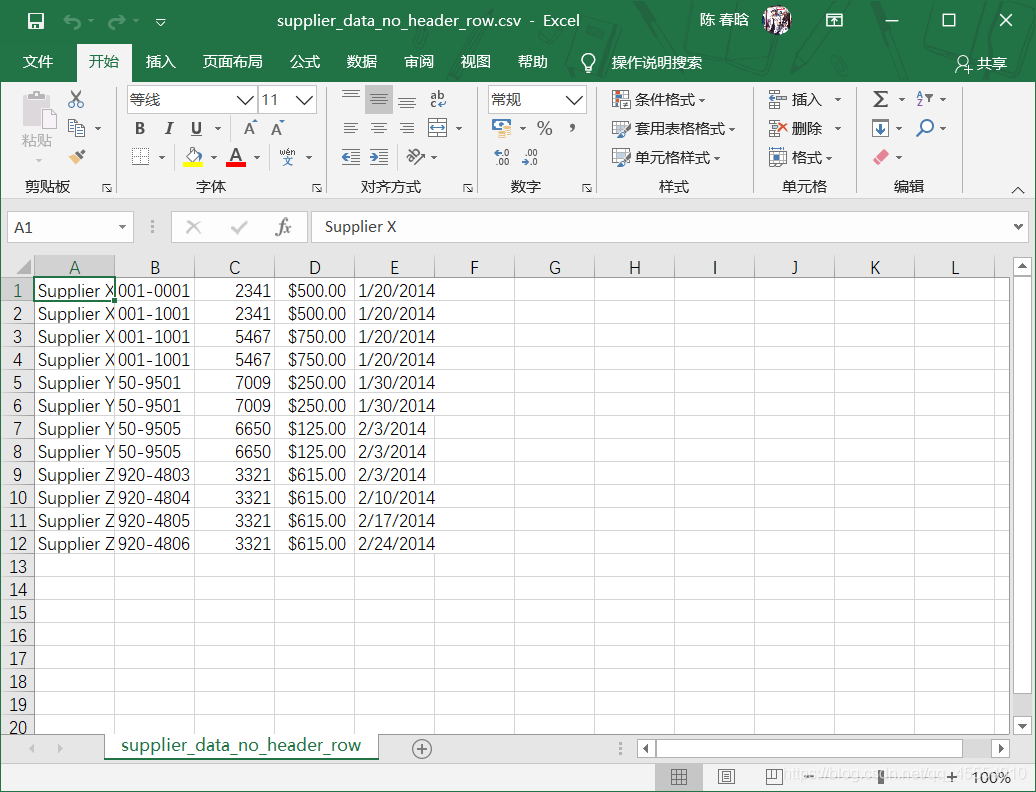
row_counter = 0 with open(input_file, 'r', newline='') as csv_in_file: with open(output_file, 'w', newline='') as csv_out_file: filereader = csv.reader(csv_in_file) filewriter = csv.writer(csv_out_file) for row in filereader: if 3 <= row_counter <= 15: filewriter.writerow([value.strip() for value in row]) row_counter += 1
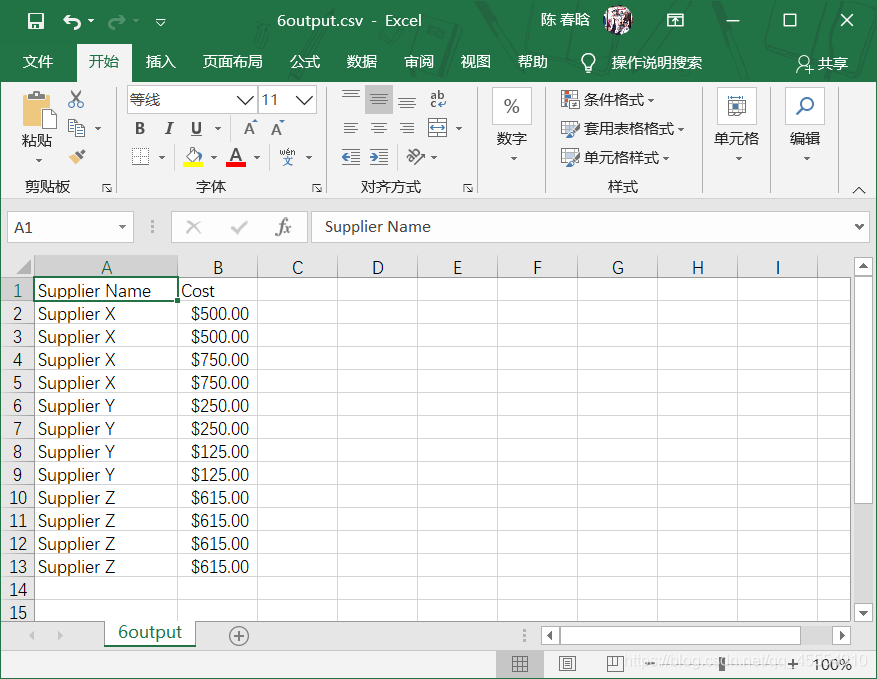
my_columns = [0, 3] with open(input_file, 'r', newline='') as csv_in_file: with open(output_file, 'w', newline='') as csv_out_file: filereader = csv.reader(csv_in_file) filewriter = csv.writer(csv_out_file) for row_list in filereader: row_list_output = [] for index_value in my_columns: row_list_output.append(row_list[index_value]) filewriter.writerow(row_list_output)
for row_list in filereader:
    row_list_output = []
    for index_value in my_columns:
        row_list_output.append(row_list[index_value])
    filewriter.writerow(row_list_output)
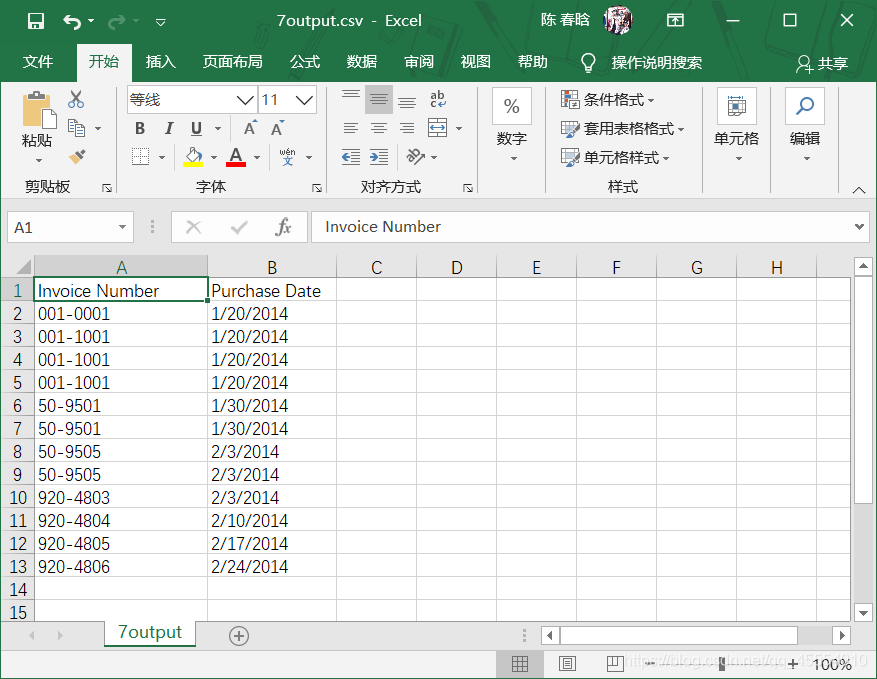
my_columns = ['Invoice Number', 'Purchase Date'] my_columns_index = [] with open(input_file, 'r', newline='') as csv_in_file: with open(output_file, 'w', newline='') as csv_out_file: filereader = csv.reader(csv_in_file) filewriter = csv.writer(csv_out_file) header = next(filereader, None) for index_value in range(len(header)): if header[index_value] in my_columns: my_columns_index.append(index_value) filewriter.writerow(my_columns) for row_list in filereader: row_list_output = [] for index_value in my_columns_index: row_list_output.append(row_list[index_value]) filewriter.writerow(row_list_output)
for index_value in range(len(header)):
    if header[index_value] in my_columns:
        my_columns_index.append(index_value)
filewriter.writerow(my_columns)
for row_list in filereader:
    row_list_output = []
    for index_value in my_columns_index:
        row_list_output.append(row_list[index_value])
    filewriter.writerow(row_list_output)
important_dates = ['1/20/2014', '1/30/2014'] with open(input_file, 'r', newline='') as csv_in_file: with open(output_file, 'w', newline='') as csv_out_file: filereader = csv.reader(csv_in_file) filewriter = csv.writer(csv_out_file) header = next(filereader) filewriter.writerow(header) for row_list in filereader: a_date = row_list[4] if a_date in important_dates: filewriter.writerow(row_list)
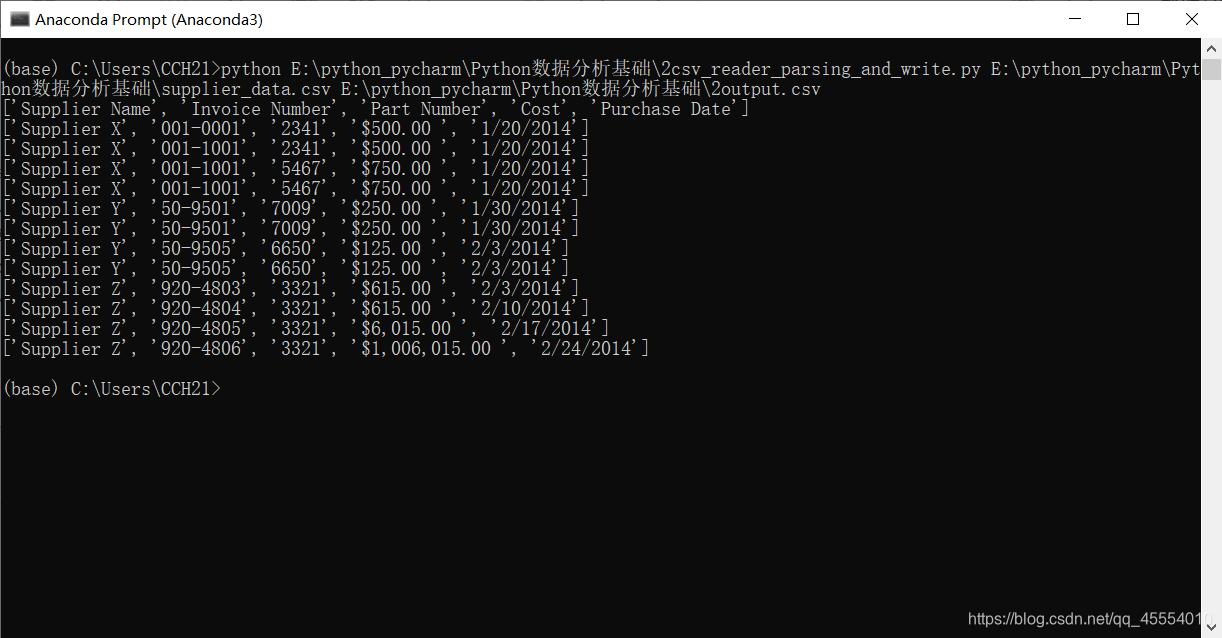
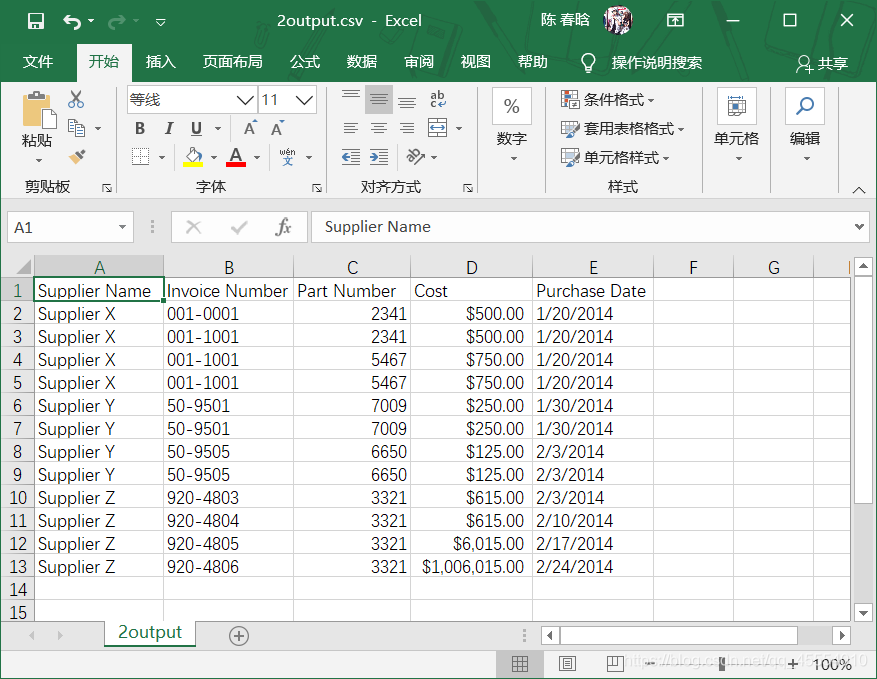
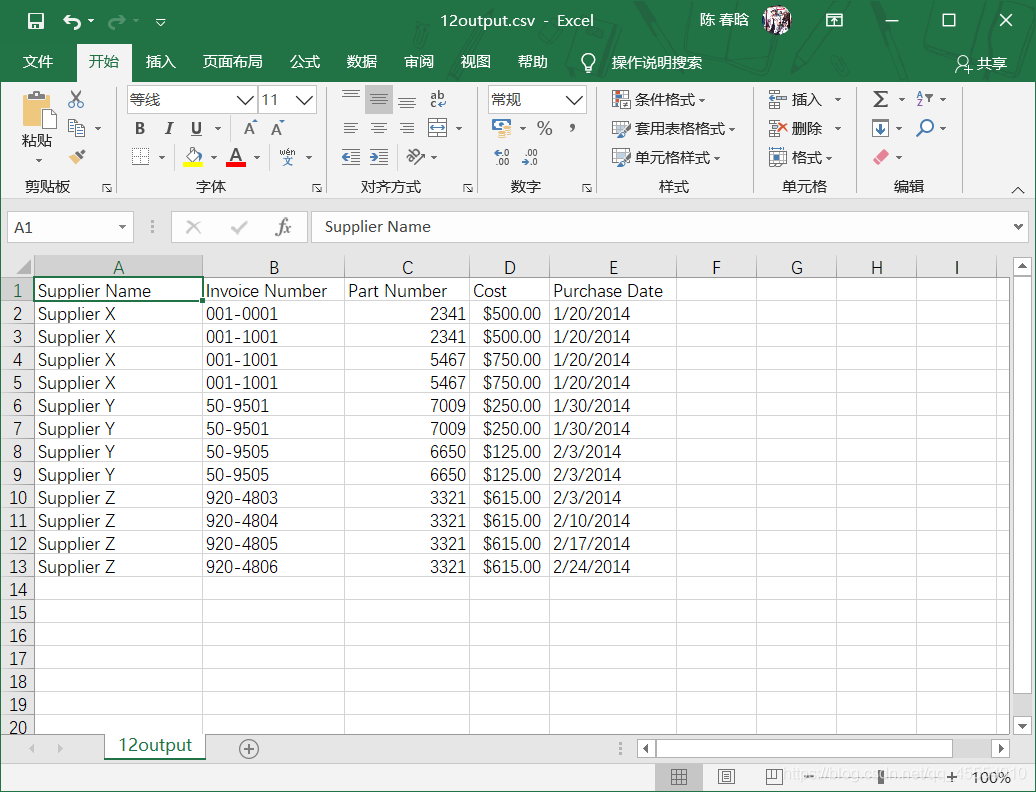
with open(input_file, 'r', newline='') as csv_in_file: with open(output_file, 'w', newline='') as csv_out_file: filereader = csv.reader(csv_in_file, delimiter=',') filewriter = csv.writer(csv_out_file, delimiter=',') for row_list in filereader: print(row_list) filewriter.writerow(row_list)
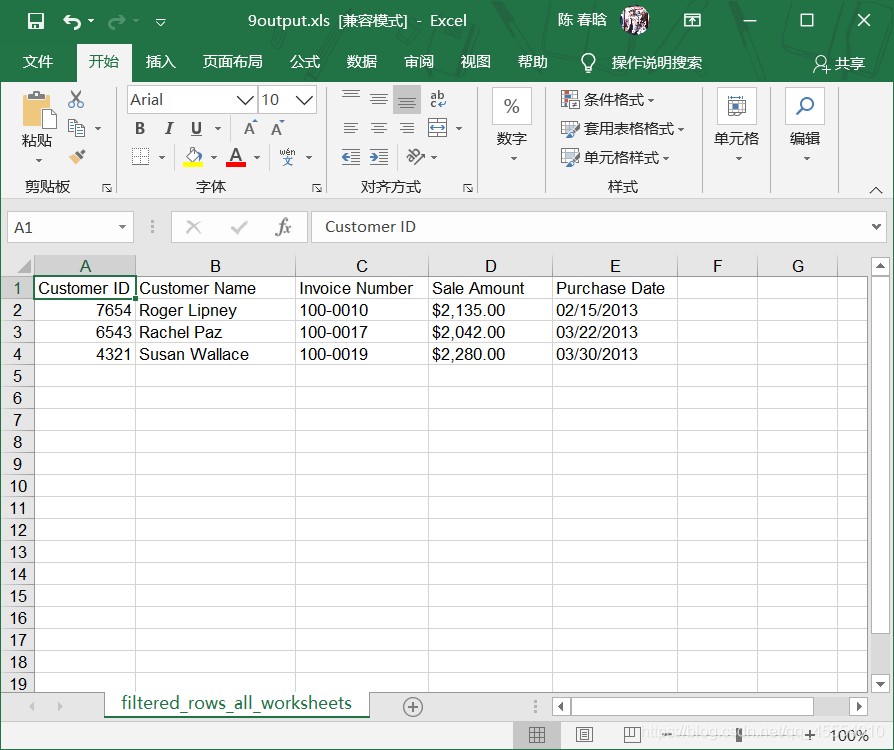
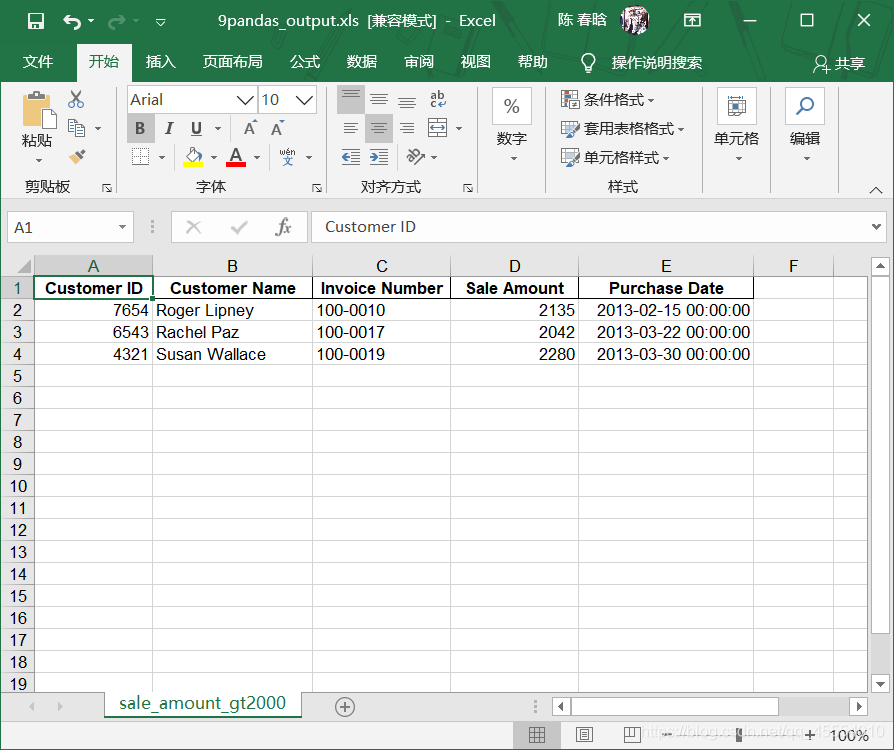
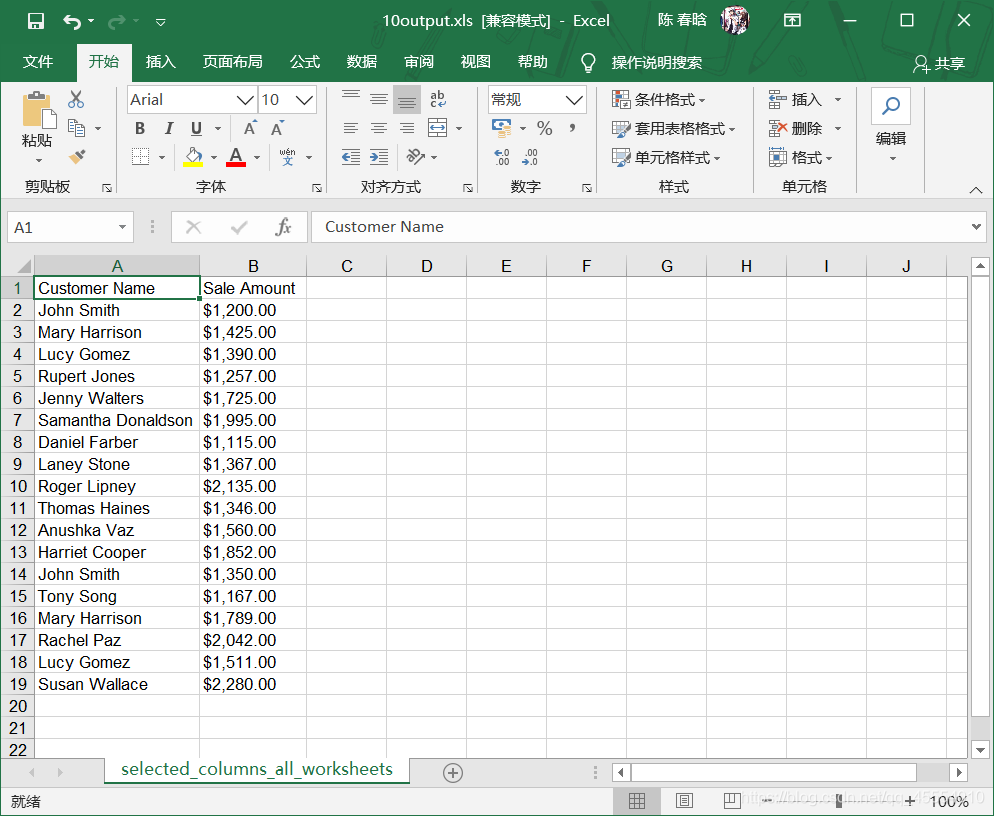
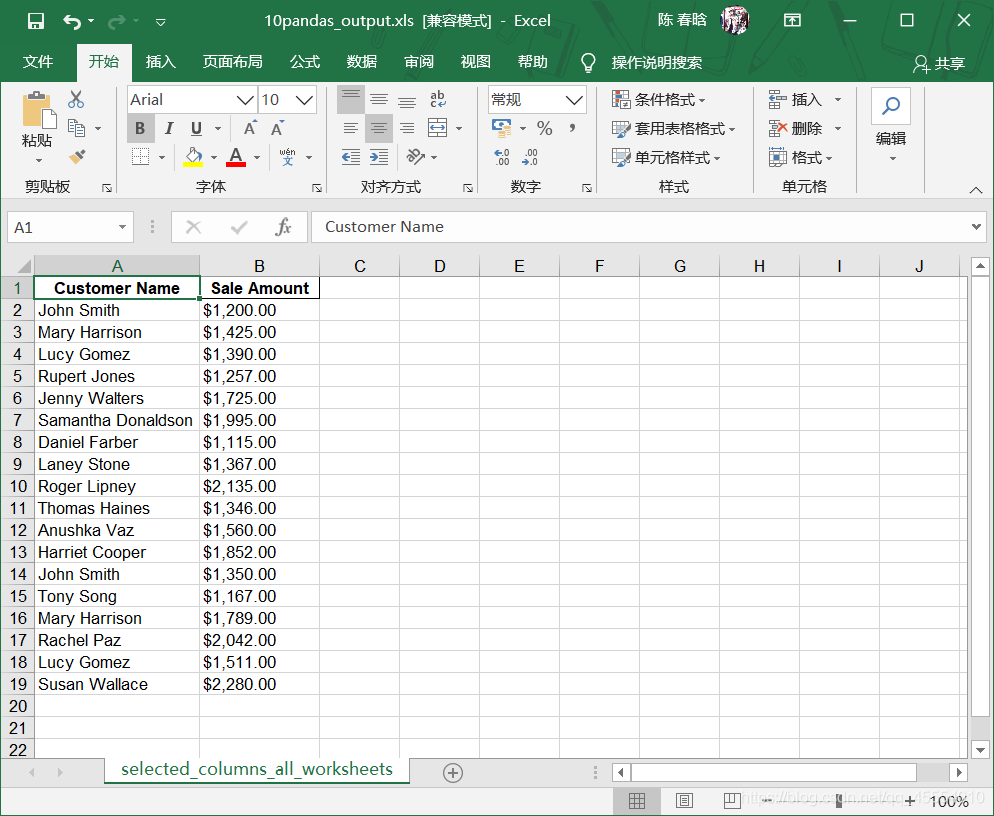
 )
)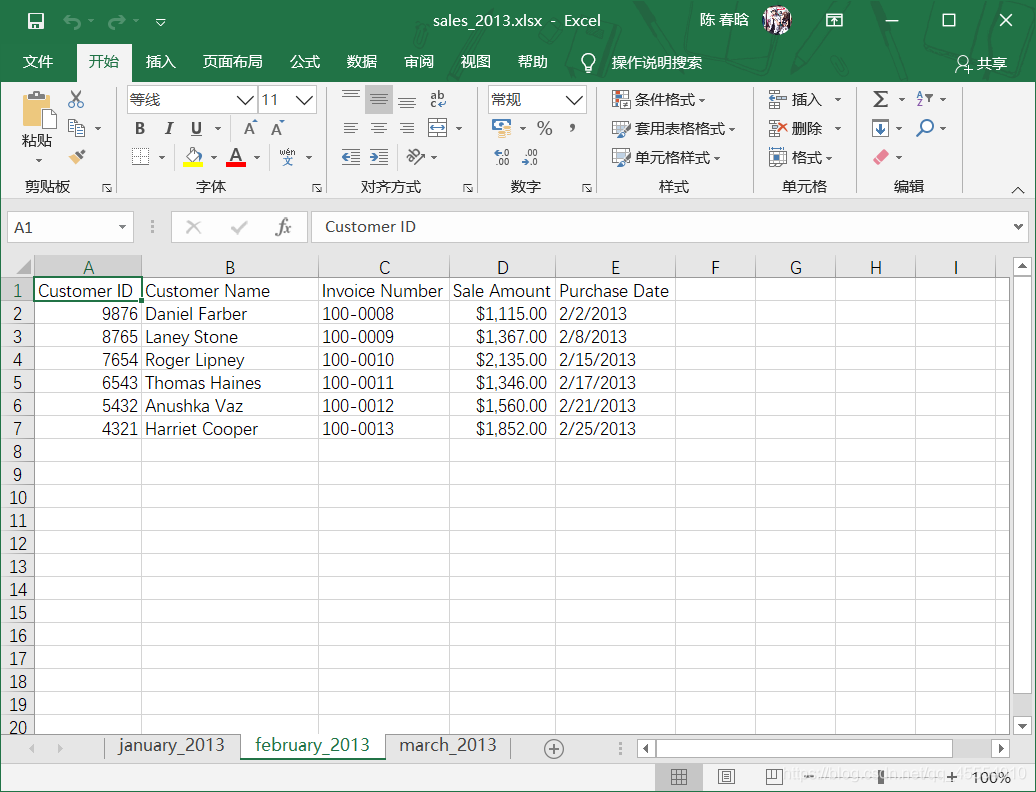 )
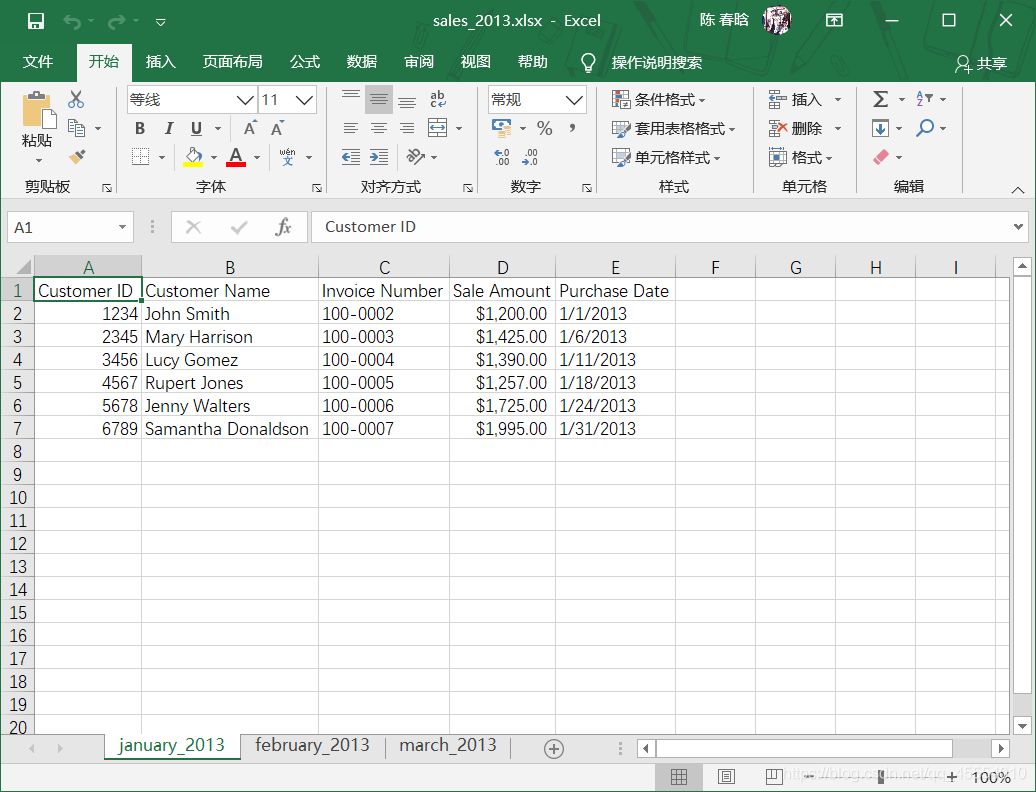
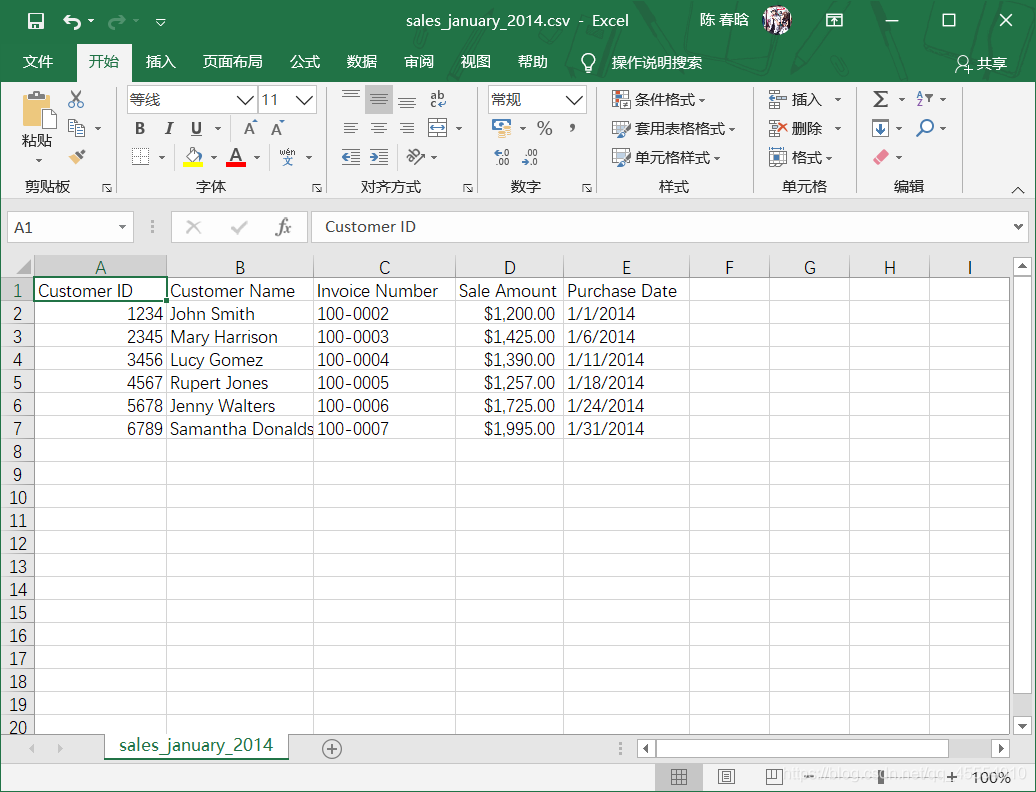
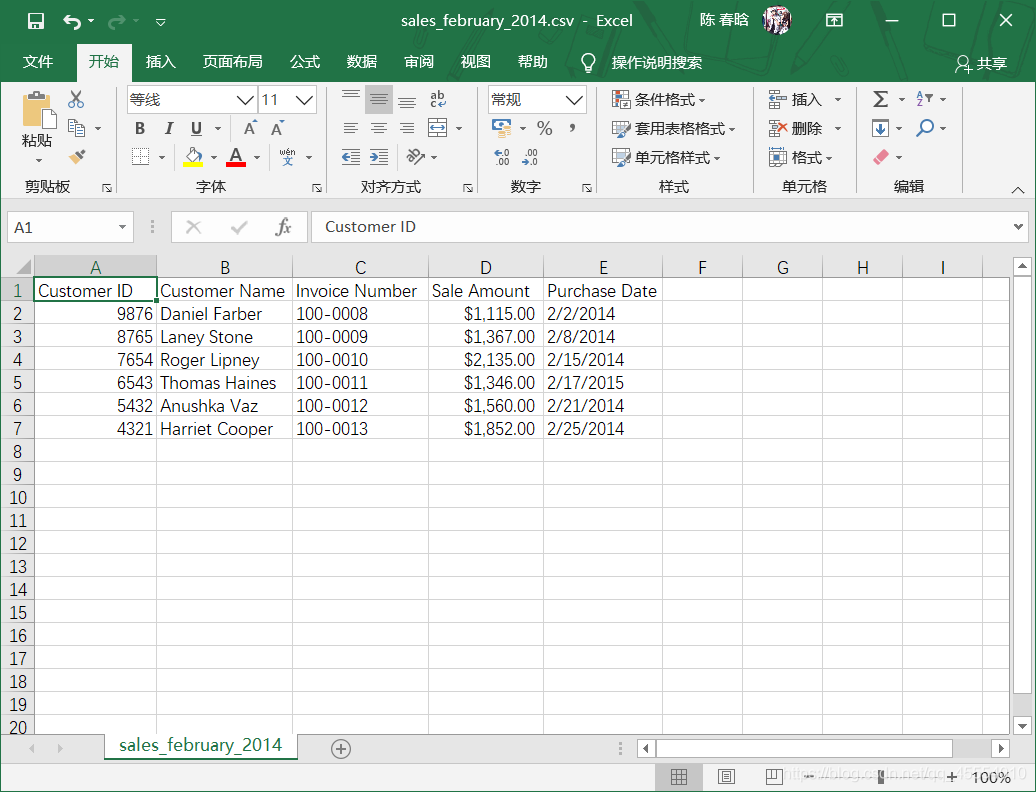
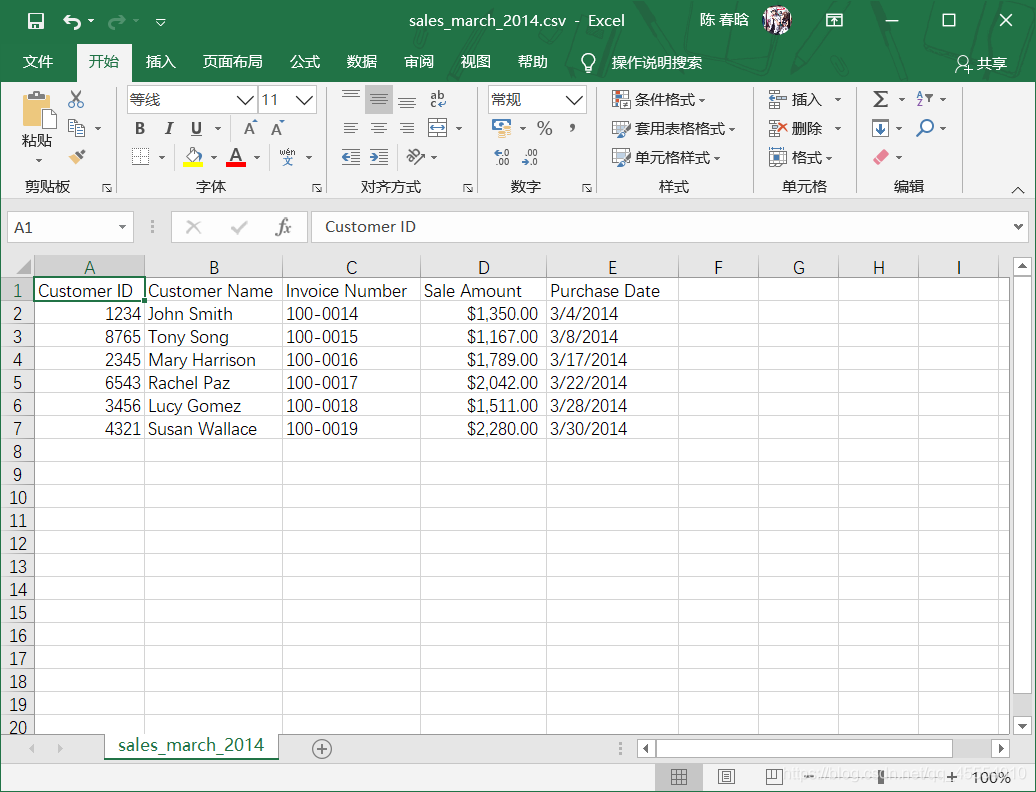
)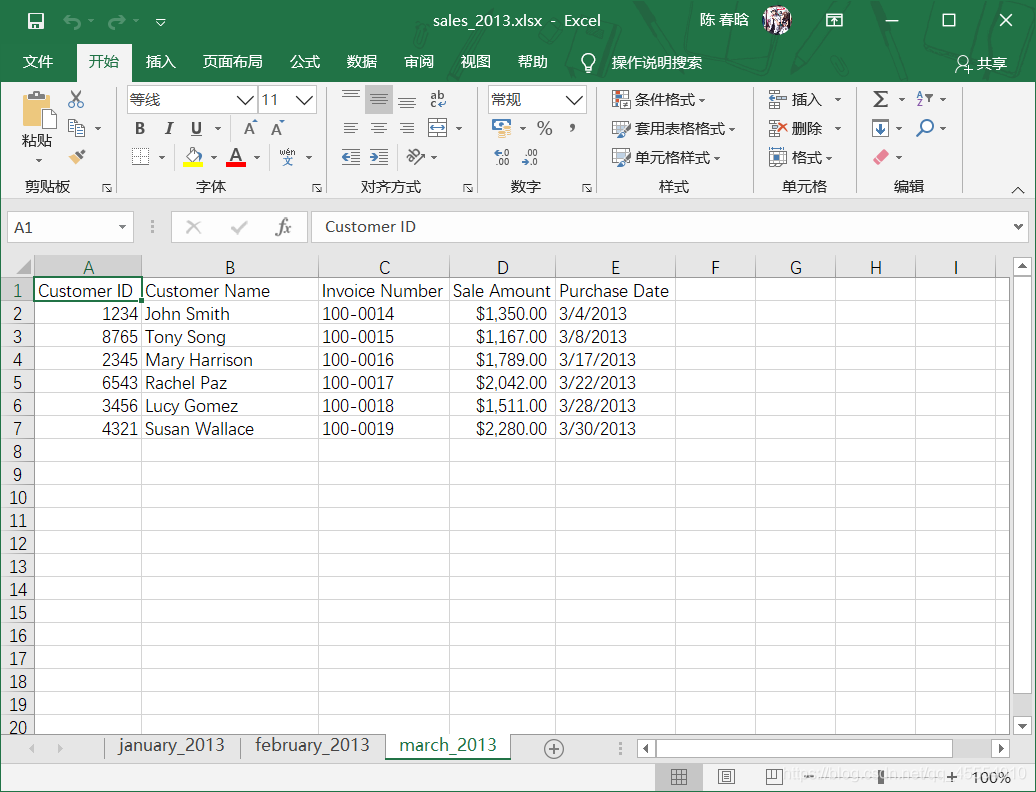 Excel文件与CSV文件至少在两个重要方面有所不同。首先,CSV文件是纯文本文件,而Excel文件不是纯文本文件,我们不能在文本编辑器中打开它并查看数据。其次,与CSV文件不同,一个Excel工作簿被设计成包含多个工作表。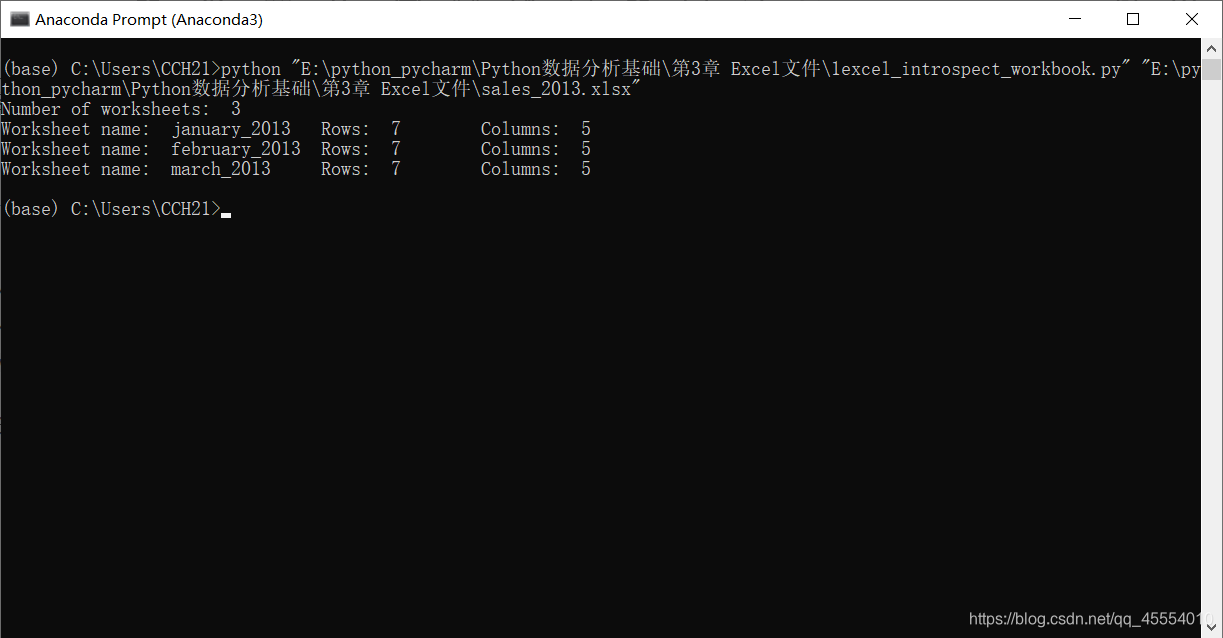
 )
) )
)
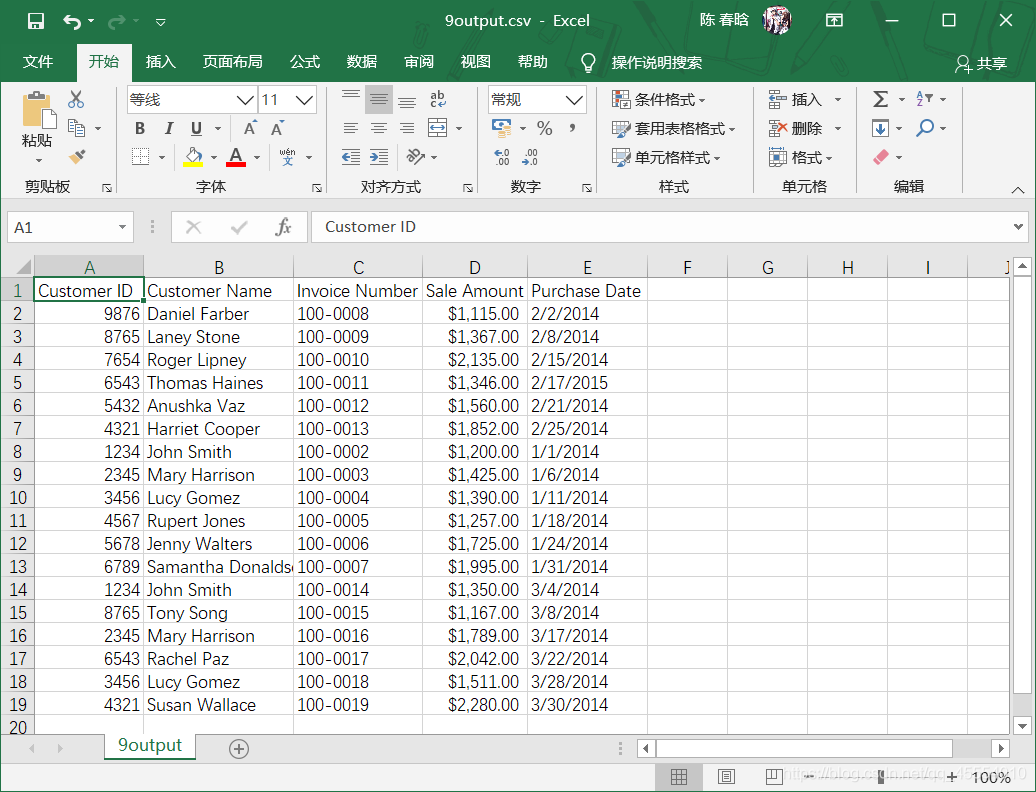
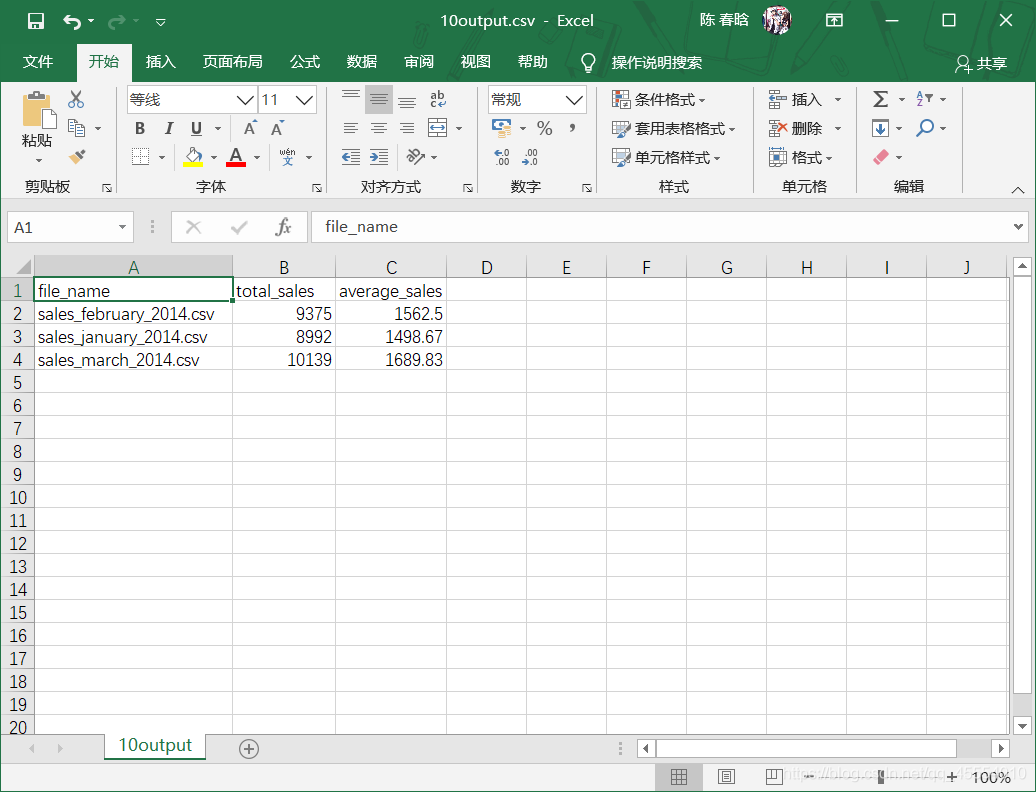
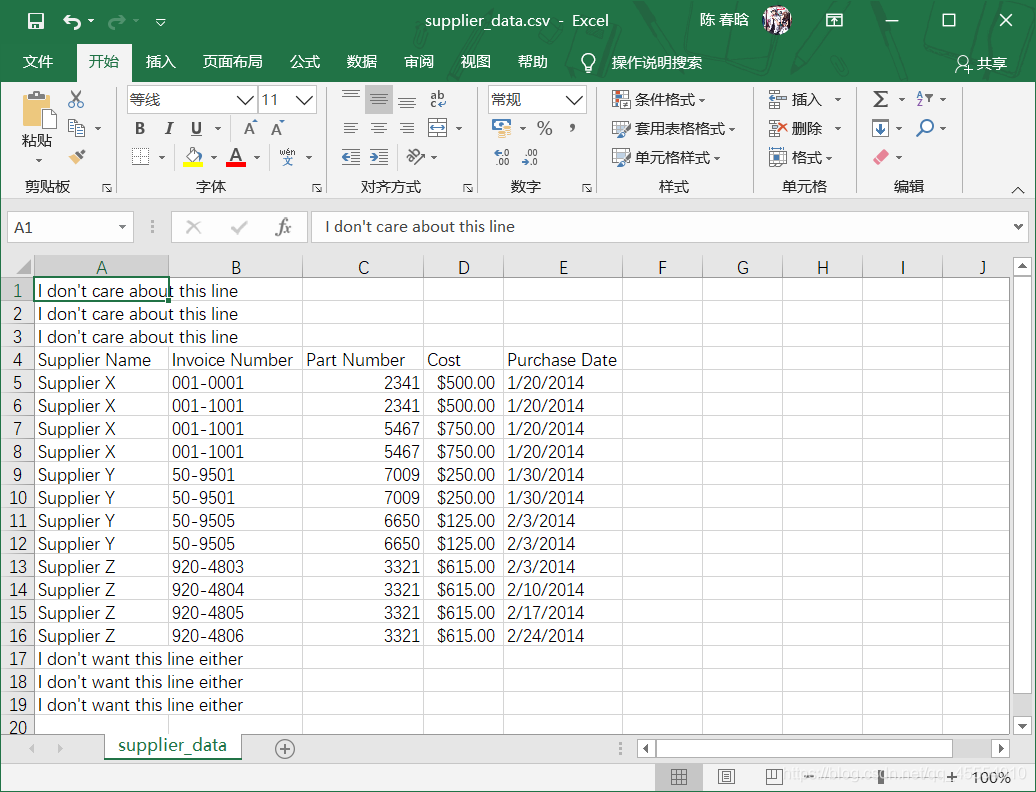
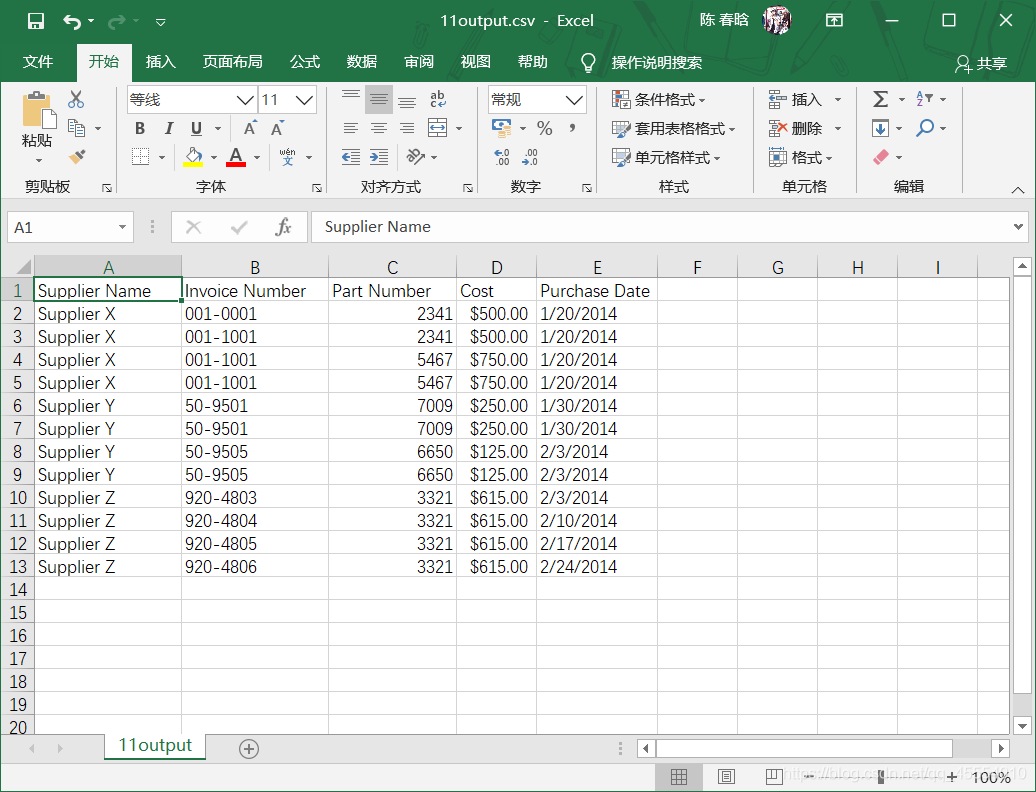
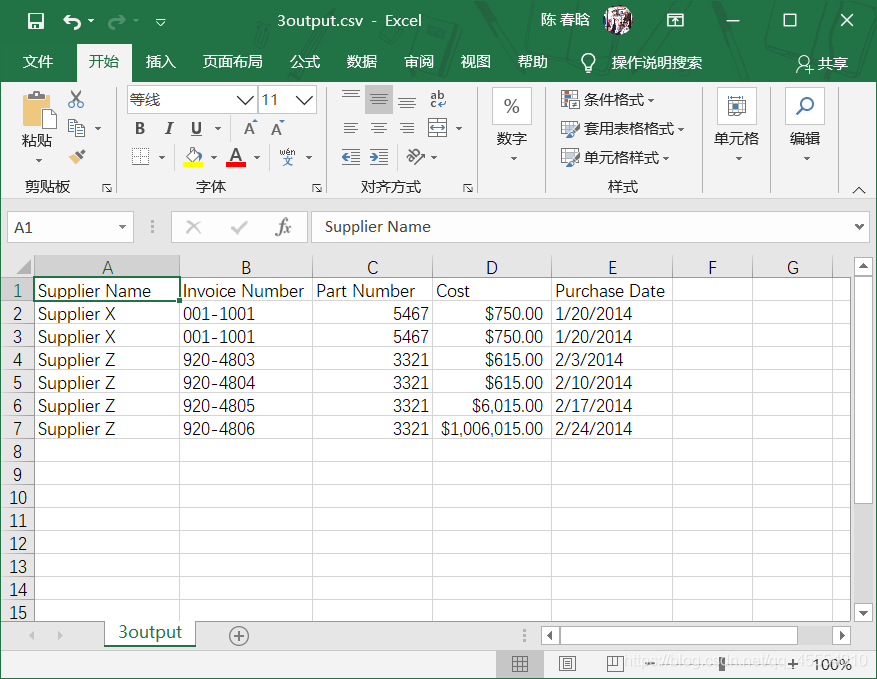
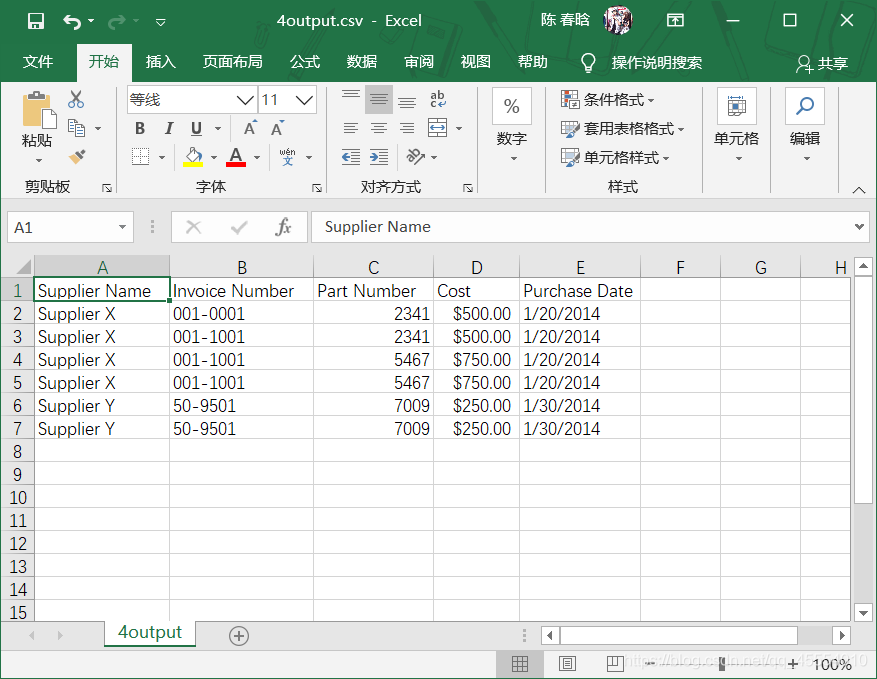
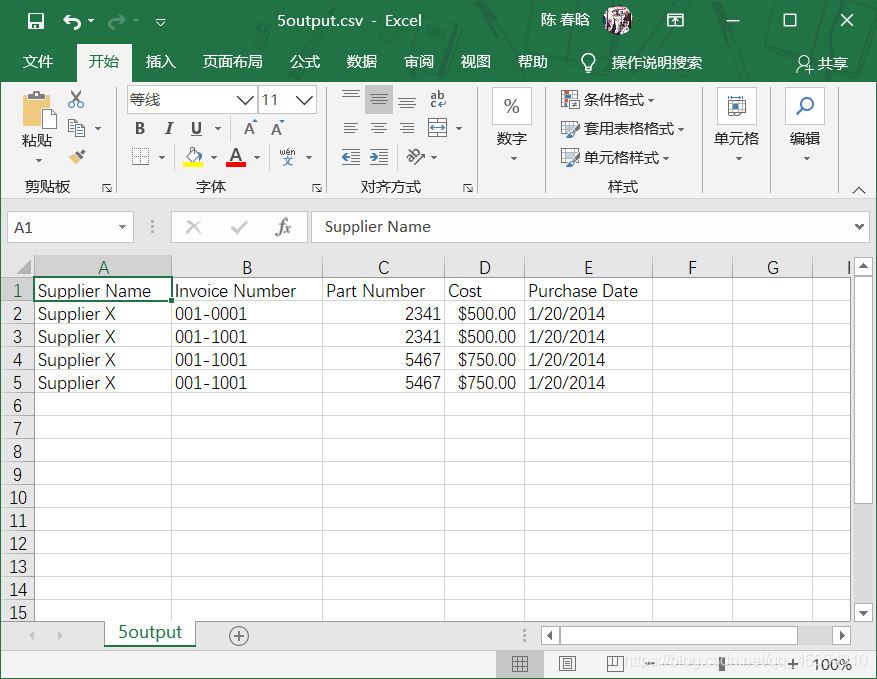
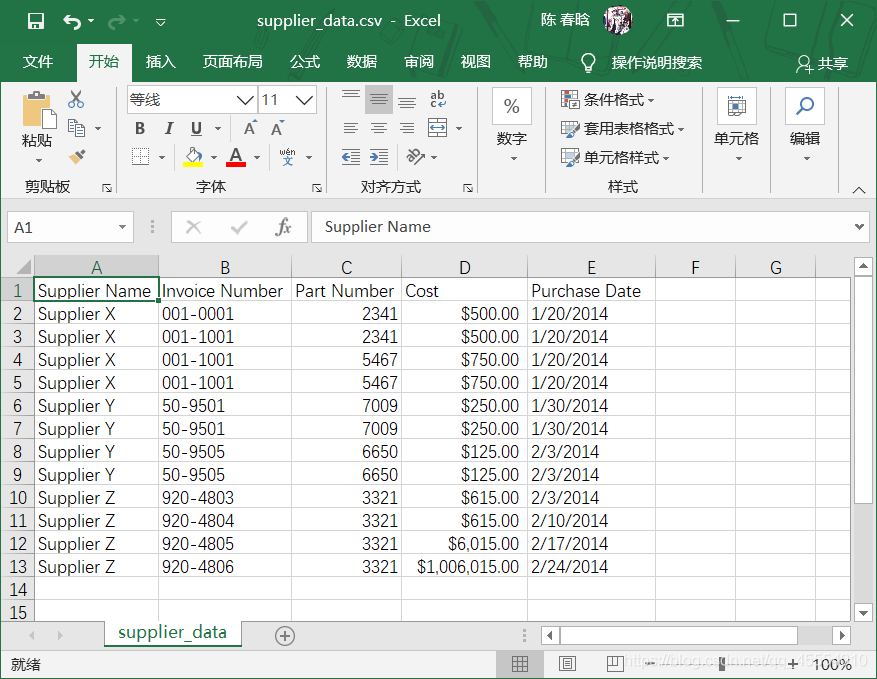 之前的脚本是按照行中的逗号分析每行数据的,这会让脚本错误地拆分最后两行的数据,因为数据中有逗号。